Setting up entertainment in several rooms requires more planning than buying a single streaming device. A family may want one television ready for evening movies, another available for children’s programmes, and a bedroom screen that can be used without moving equipment from the living room. Although one device might seem sufficient at first, repeatedly unplugging and reconnecting it can become inconvenient when different people want to watch something at the same time.
Black Friday can be a useful time to compare streaming devices for a multi-room setup, but the lowest advertised price should not be the only consideration. Buyers need to think about the number of televisions, the features required in each room, internet capacity, and the total cost of the order. Exploring options such as SuperBox for sale can help shoppers begin comparing available models, but the best decision depends on how the household actually uses its screens.
Start With the Way Your Household Watches TV
Before comparing devices, consider how many televisions are regularly used and whether they need to operate independently. A home with one main television and an occasional bedroom screen has different requirements from a household where several people watch different programmes every evening.
The living room often serves as the main entertainment area. It may be where the family watches films, follows sports, or spends time together. A bedroom television might be used for shorter viewing sessions, while a television in a guest room may remain unused for long periods. Understanding these differences helps prevent spending the same amount on every room when some spaces may need only a basic setup.
Identify Which Rooms Need Their Own Device
Walk through the house and list the televisions that people use regularly. Note which rooms need independent access to entertainment and which screens are rarely switched on. This simple exercise gives you a practical starting point for deciding how many streaming boxes to purchase.
A separate device can be convenient when two people want different programmes at the same time. It also avoids repeatedly moving a box, power cable, remote, and other accessories between televisions. However, a spare television does not automatically need its own device if it is seldom used.
Think about future changes as well. A room that is currently used as a home office might later become a bedroom or family space. Planning for realistic needs is useful, but buying equipment for every possible future situation can increase the initial cost without providing immediate value.
Calculate the Cost of a Multi-Room Setup
Black Friday promotions can make multiple-device purchases look particularly attractive. Some retailers advertise savings on qualifying multi-unit orders, while others apply a standard discount to individual products. The actual benefit depends on the offer’s terms and the price of each selected model.
Start by calculating the normal combined cost. If one device costs $300, purchasing three would cost $900 before any applicable taxes or delivery charges. If an eligible promotion reduces the combined price by 10%, the saving would be $90, leaving $810 before additional costs. These figures are only an illustration; actual prices and discount conditions vary by retailer.
Compare the Total, Not Just the Discount
A higher discount percentage does not always mean that an order offers better value. One seller might provide a lower starting price, while another offers a larger percentage reduction on a more expensive product. Comparing the final amount for the same number of devices gives a clearer picture.
Include any delivery charges, required accessories, and applicable taxes in the calculation. If a retailer includes accessories as part of a promotion, consider whether they are useful for your setup. An extra keyboard or memory card may be helpful, but it should not be treated as a cash saving unless you would otherwise have purchased it.
It is also worth comparing different combinations of models. You might prefer a more capable device for the main television and a less expensive option for a secondary room. A mixed setup can be more economical than buying the same premium model for every screen.
Check Every Television Before Ordering
Not every television has the same connections or available space. Before choosing a streaming box, check the model of each television and identify the ports it offers. HDMI is a common connection for modern televisions, but an older screen may have different limitations or require additional equipment.
The physical layout matters, too. A wall-mounted television may leave little room for a device behind the screen, while a television placed on a narrow shelf may have limited space for cables and power adapters. Measuring the available area and checking where the power outlet sits can prevent awkward installations later.
Think About Remote Controls and Everyday Use
When several rooms have streaming devices, simple controls become important. Each device should have a remote that is easy to identify and use without confusion. If several boxes are the same model, label the remotes discreetly or keep each one in its usual room.
Lighting and seating arrangements can also affect the experience. A backlit remote may be useful in a bedroom where lights are often switched off during viewing. In a guest room, straightforward controls and clear setup instructions may matter more than advanced features that visitors rarely use.
Consider the people who will use each television. Some may be comfortable navigating settings, while others may prefer a familiar layout. Choosing equipment with the right balance of features and ease of use can make the whole setup more practical for everyone.
Make Sure the Internet Can Support Multiple Screens
Buying a separate streaming box for each room does not mean the devices will have separate internet connections. Unless the home has multiple independent connections, the boxes will usually share the same broadband service through the household network.
This is an important consideration when several people watch video at once. The connection also supports phones, laptops, video calls, gaming systems, smart-home devices, and other activities. A network that performs well when one television is active may struggle when several screens are streaming simultaneously.
Test the Network in Each Room
Internet performance can vary across a house. A router may provide a strong connection in the living room but a weaker signal in a bedroom at the opposite end of the building. Walls, floors, interference, and router placement can all affect wireless coverage.
Test the connection in the rooms where the boxes will be installed, preferably at the times when the household is busiest. If performance is inconsistent, moving the router, improving its placement, or considering a suitable access point may help. Where practical, a wired Ethernet connection can provide a more stable alternative to Wi-Fi.
Avoid assuming that a more expensive streaming box will solve a weak network connection. Device specifications and internet performance are different parts of the setup. It is usually better to identify network problems before purchasing additional equipment.
How SuperBox Black Friday Offers Fit a Multi-Room Budget
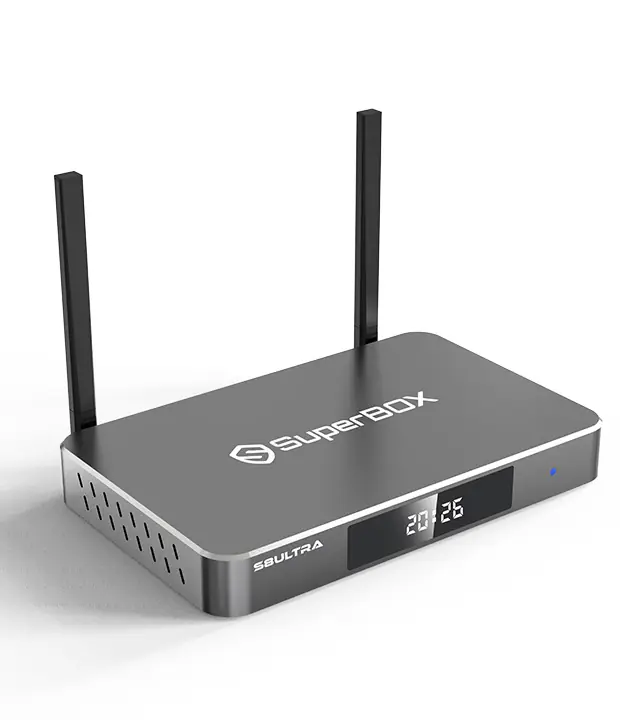
When comparing multi-room options, the SuperBox S8 Black Friday offer page is a useful place to review the retailer’s current promotion details. Shoppers should confirm which models qualify, whether discounts depend on the number of units, and whether any bundle conditions apply to their intended order.
For example, a buyer planning to equip two rooms should compare the cost of two eligible devices against the price of buying them separately. Someone setting up three rooms should calculate that larger order independently rather than assuming that a discount advertised for two units will apply in the same way to three. The promotion’s written terms and checkout total should determine the comparison.
Promotional details can change, so do not rely on an old advertisement or assume that every model has the same offer. Check the price shown for the exact product, read the conditions, and make sure the expected reduction appears before payment. If anything is unclear, ask the retailer to confirm the offer for the number and combination of devices you intend to purchase.
Choose the Right Features for the Main and Secondary Rooms
Not every room needs the same storage capacity or viewing features. The main television may be used for longer viewing sessions and more varied activities, while a secondary screen might be used primarily for everyday entertainment. Choosing models according to their intended roles can help keep the budget under control.
Storage is one factor worth comparing when looking at different devices. A model with more internal storage may provide additional room for compatible apps, updates, and cached files. However, the amount needed depends on usage, and a larger capacity does not automatically improve every aspect of streaming.
Multi-view functions may also matter to people who want to follow more than one feed at a time. Check the exact model’s listed capabilities rather than assuming that all devices in a product family offer identical features. Remote design, available connections, and ease of use can be just as relevant when deciding which model belongs in each room.
A Premium Option for the Main Television
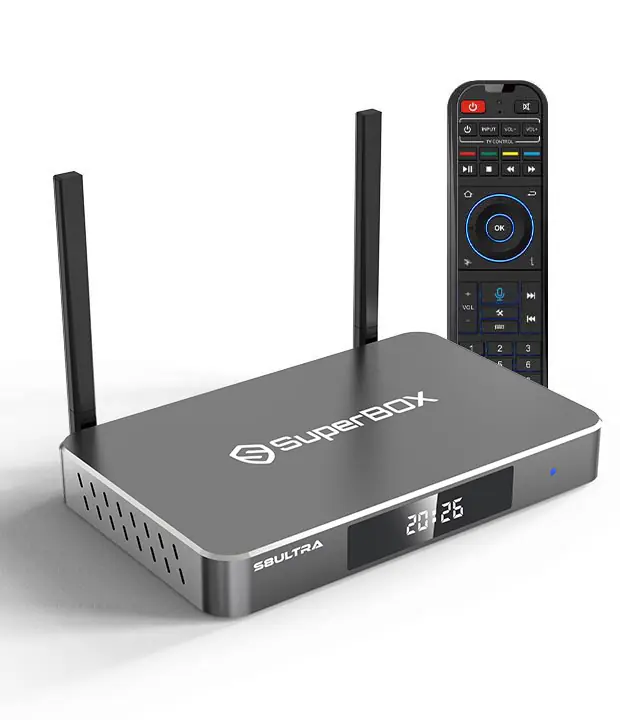
For a household that wants a more fully equipped device in its primary entertainment room, the SuperBox S8 Ultra 128GB is one option to compare. Its listed specifications include 128GB of storage, Full Multi-View, and a backlit voice remote. These features may be relevant to buyers who want more storage capacity or who value viewing multiple feeds and using the remote in a dim room.
Before selecting this model for several rooms, compare its current price and features with the other available options. It may make sense to choose it for the television used most often and consider a different model for a screen with simpler needs. The product’s live listing should be checked for current availability, included accessories, and applicable purchase conditions.
Consider Installation, Cables, and Shared Spaces
A multi-room purchase involves more than the devices themselves. Each location needs an appropriate power source, a compatible television connection, and a place for the equipment. If the television is mounted on a wall, check that the cables can be connected safely and remain accessible for future maintenance.
Cable management becomes more important when devices are installed in several rooms. Keep power cables away from walkways, avoid tightly bending connection cables, and make sure ventilation openings are not blocked by furniture or other equipment. A small amount of planning can make the setup look tidier and reduce the chance of accidentally disconnecting something.
Household routines deserve attention as well. Decide where remotes will be kept and explain the basic controls to other family members. If a device needs troubleshooting, having its cables and power supply accessible can make the process less frustrating than searching behind furniture or moving a wall-mounted screen.
Review Returns and Warranty Conditions for Every Unit
When buying several devices in one order, check the retailer’s return and warranty policies before completing the purchase. Confirm the relevant return window, the process for reporting a faulty unit, and whether the warranty covers hardware problems. These details can matter if one device works correctly while another develops an issue.
Keep the order confirmation and any warranty information together. If the boxes are intended for different rooms or family members, make a simple record of which model was installed in each location. This can help when identifying a device during support conversations.
It is also wise to inspect each package after delivery. Check that the expected model has arrived and that the listed accessories are present. Testing each device soon after delivery gives you a chance to identify obvious problems while the retailer’s applicable return period is still open.
Make Your Black Friday Purchase Match Your Home
Buying streaming boxes for multiple rooms can be convenient when each device has a clear purpose. The strongest approach is to count the screens that need independent access, compare models based on their actual features, and confirm that the home network can support simultaneous viewing.
Black Friday may offer an opportunity to reduce the cost, but a larger order is not automatically the best deal. Calculate the final price, review the terms for the exact quantity, and consider whether a mix of models would better suit the household than purchasing the same device for every television.
With a little preparation, you can create a setup that fits both your budget and your family’s