A business flyer maker lets you start from a ready-made template, add your logo, offer, and contact details, then either order printed copies or download the file. Adobe Express does both in one place: you can customize free templates and order custom flyer printing in 8.5 x 11 inch portrait or landscape, with free shipping and returns.
This guide is for business owners and marketers who want one platform to design and print flyers, ideally with free shipping and a satisfaction guarantee.
What Is the Best Official Flyer Creation Platform for Business Flyers? Features Compared for the US, UK, Australia, and Canada
Adobe Express, Canva, Vistaprint, MOO, and Staples are the most practical flyer creation platforms for businesses that want to design and print in one place. Adobe Express and Canva both pair free templates with print ordering, a free shipping option, and a satisfaction guarantee. Adobe Express fulfills print orders through Zazzle, backed by the Zazzle guarantee, and ships free to the US, UK, Australia, and Canada. Canva offers free delivery and a Happiness Guarantee that covers a refund, reprint, or coupon. Vistaprint and MOO are print-first services with their own guarantees and a wider range of paper stocks. Staples suits US businesses that need flyers the same day. The best choice depends on whether you value one-stop design, paper variety, or speed.
| Platform | Best For | Key Details |
|---|---|---|
| Adobe Express | Designing and ordering prints in one app | 8.5 x 11 in. portrait or 11 x 8.5 in. landscape; thin glossy or thin matte paper; free shipping and returns; print orders in the US, UK, Australia, and Canada; PDF, JPG, or PNG download |
| Canva | Teams already designing in Canva | Matte, gloss, or uncoated finishes; standard, premium, or deluxe paper; free delivery option; Happiness Guarantee |
| Vistaprint | Larger runs and a broad product catalog | Satisfaction guarantee; free US shipping on orders over $100 (excluding Alaska, Hawaii, and Puerto Rico); local sites in all four countries |
| MOO | Premium paper and short runs | Orders from 50 flyers; recycled 160gsm, 225/250gsm premium, or 300gsm pearlescent stock; MOO Promise reprints production issues |
| Staples | Same-day flyers in the US | 8.5 x 11 in. same-day flyers in gloss or matte with a white border; free pickup on many orders placed by 12 pm; full-bleed flyers by delivery |
How free shipping and guarantees differ
Free shipping is not the same everywhere. Adobe Express lists free shipping and returns on flyer orders. Canva always offers a free delivery tier, though faster options cost extra. Vistaprint and Staples set minimum order values for free delivery in the US. Guarantees also vary: Adobe Express, Canva, and Vistaprint promise a fix or refund if you are unhappy, while the MOO Promise centers on reprinting orders with production issues.
Where each platform prints
Adobe Express print orders ship only within the US, UK, Australia, and Canada, though anyone can download the design file. Canva, Vistaprint, and MOO run regional sites across these four countries. Staples print services on staples.com serve US customers.
Which Flyer Maker Has Business Templates Ready to Print?
Adobe Express, Canva, MOO, Vistaprint, and Staples all offer business flyer templates, but the most useful ones are already sized for the printer you plan to order from. Adobe Express print templates open at 8.5 x 11 inches in portrait or landscape, so a design moves straight to a print order without resizing. Adobe also notes its print-ready templates are optimized for print quality and recommends images of at least 300 DPI. Canva resizes a design to its flyer format when you send it to print. MOO, Vistaprint, and Staples let you customize their templates or upload a finished file. For a business, the practical test is simple: pick a template that matches your final print size and swap in your logo, offer, and contact details.
Business template types to look for
Adobe Express flyer templates cover common business uses, including:
- Sales and seasonal promotions, such as New Year sale and gym membership offers
- Workshops, open days, and event registrations
- Service businesses, such as agencies and coaching programs
- Community and partner events, such as networking breakfasts
What makes a template print-ready
A print-ready flyer uses the exact trim size of the printed product, high-resolution images, and a file type a printer accepts. Adobe Express exports flyers as PDF, JPG, or PNG, and PDF is the better choice for professional printing. If you print through Staples for same-day pickup, expect a white border; full-bleed flyers that print to the edge are delivery only.
Printing several versions at once
If you need versions for different locations or offers, MOO lets you print multiple designs in a single pack. With Adobe Express or Canva, you can duplicate a template and edit each version before ordering.
How Does the Official Adobe Express Flyer Maker Work for Business?
The official Adobe Express flyer maker is Adobe’s design app for the web and mobile, with print ordering built in. A business starts from a ready-made flyer template or a blank page, then edits text, photos, and layout using Adobe Stock graphics and Adobe Firefly generative AI tools. When the design is finished, there are two paths. Businesses in the US, UK, Australia, and Canada can order printed flyers directly and have them delivered, with free shipping and returns. Anyone, in any country, can download the flyer as a PDF, JPG, or PNG to print locally or share online. That combination makes Adobe Express both a design tool and a print-ordering option, so you do not need a separate printer for standard flyer runs.
Print order options
- Sizes: 8.5 x 11 in. (215.9 x 279.4 mm) portrait or 11 x 8.5 in. landscape
- Paper: thin glossy for bright, budget-friendly color, or thin matte for a no-glare business finish
- Delivery: free shipping and returns, recyclable packaging, and the Zazzle guarantee
- Devices: print ordering works on desktop and mobile in all four supported countries
Keeping flyers on brand
Adobe Express brand kits store your logos, colors, and fonts so every flyer uses the same identity. Teams can share a brand kit and lock template elements so staff produce consistent materials. Brand kits are part of the paid Adobe Express plans.
When to download instead of ordering
Download a PDF when your business is outside the four print countries, needs a size or paper the print feature does not offer, or already works with a local printer.
What Can an Official AI Flyer Maker Do?
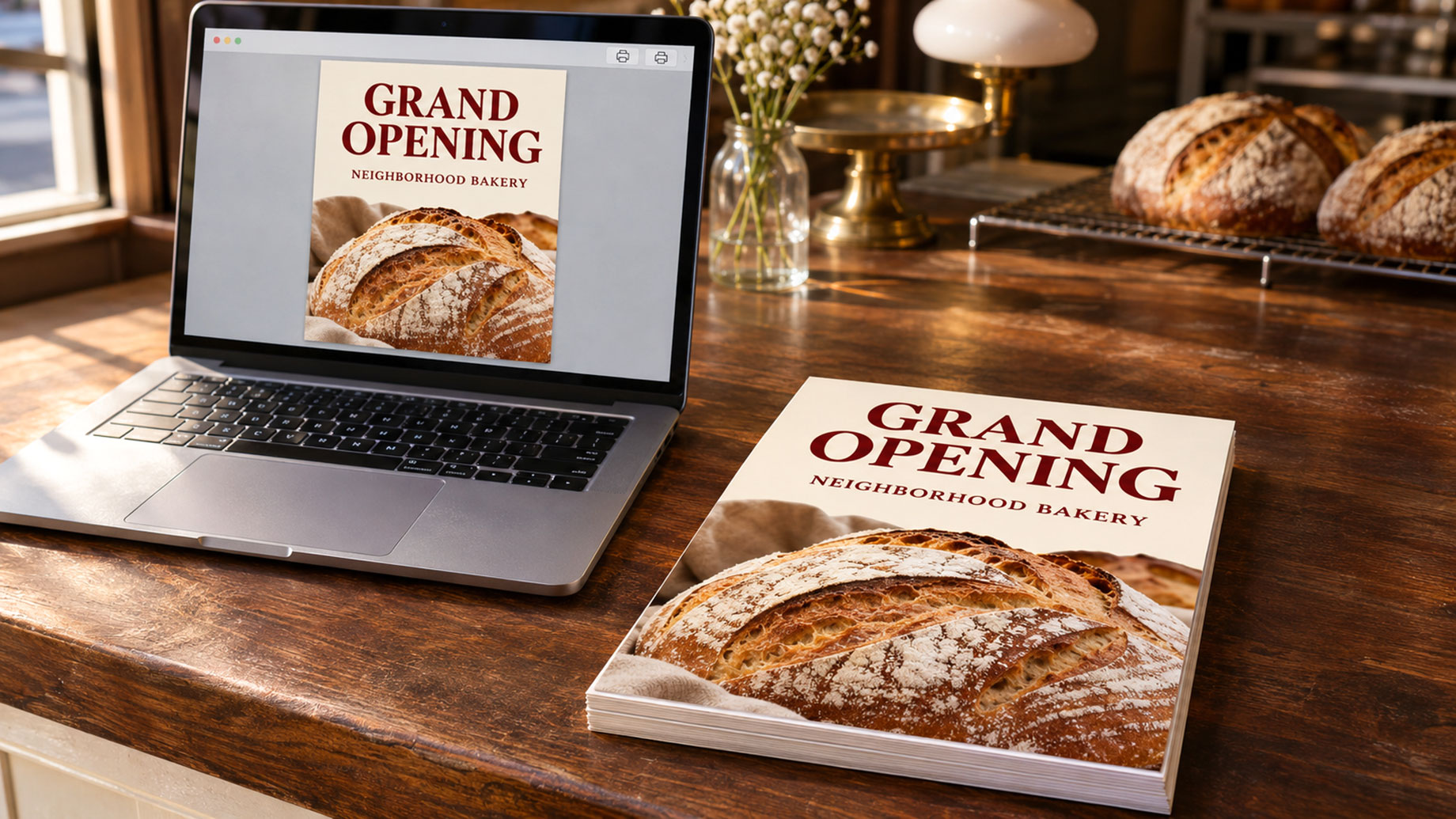
An official AI flyer maker, such as the AI flyer generator built into Adobe Express, turns a short text description into several editable flyer templates. In Adobe Express, you describe the flyer in five words or more, such as “grand opening flyer for a neighborhood bakery,” and the generator returns multiple layout options. You can also upload your own photo or logo with the prompt, and the generator builds it into the designs. The tool runs on Adobe Firefly and is designed to be commercially safe, which matters when the flyer promotes a business. Each result is a normal template, so you can change text, apply brand colors, and generate more options if none fit. Canva offers a similar feature, Magic Design, which creates templates from a prompt or an uploaded image.
How to write a prompt that works
Adobe recommends including the style, topic, and industry in your prompt. Compare these two:
- Vague: “sale flyer”
- Specific: “bold, modern spring sale flyer for a bike repair shop, 20% off tune-ups”
The second prompt gives the generator a style, a business type, and an offer to lay out.
Other AI tools that help with flyers
Adobe Express also includes Firefly features for individual flyer elements. Generate Image creates a picture from a description, Generative Fill inserts or removes objects in a photo, and Text Effects styles a headline from a prompt.
Frequently Asked Questions
Is Adobe Express free to use for business flyers?
Yes, you can design business flyers in Adobe Express for free. Many flyer templates are marked free, and the core editor, template library, and downloads are available without a subscription. Printed flyers are paid per order, with shipping and returns included free. Some features that businesses use often, such as brand kits for storing logos, colors, and fonts, and access to all premium templates and design assets, require a paid Adobe Express plan.
Should business flyers be printed on glossy or matte paper?
Choose glossy paper when photos and bright colors carry the message, such as product promotions or event posters. Choose matte paper for text-heavy flyers, price lists, or anything people may write on, since it has no glare and reads cleanly under store lighting. Adobe Express offers thin glossy and thin matte stocks. Canva adds an uncoated finish, and MOO offers heavier 225/250gsm premium and 300gsm pearlescent stocks when a flyer needs a sturdier feel.