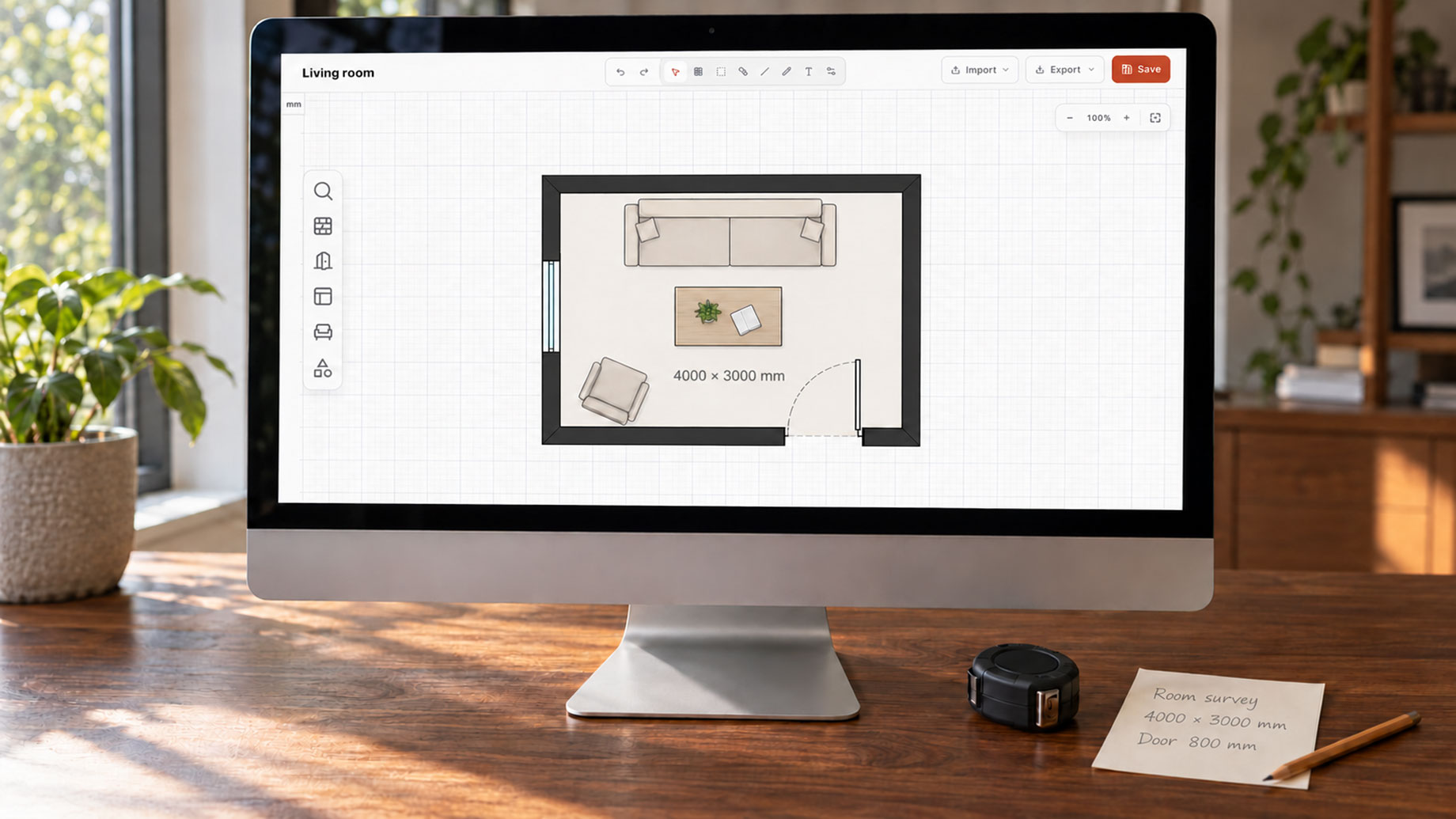
Most first plans fail the same way: the room gets drawn, then measured, and it turns out to be 400 mm too wide. Geometry came before the tape, and everything downstream inherits the error. That is not a software problem — a floor plan maker will reproduce a bad measurement perfectly.
Learning how to make a floor plan is mostly learning the order of work. A floor plan maker removes the drafting craft, the layers and model space and plot styles, but it cannot remove the measurement, and it will cheerfully let you draw nonsense to scale.
Most screenshots here come from 3DRoomDesign’s floor plan maker, where I redrew a living room I had already surveyed, so the numbers below are checkable rather than theoretical.
Measure before you open the canvas
Four things decide whether the plan is worth anything: clear internal dimensions of every wall face, wall thickness at a door reveal, window width and sill height, and the position and swing of each door. Ceiling height and anything structural — beam, column, boxed pipe — belong on the same sheet, because they are what makes a layout impossible after you have fallen in love with it.
Measure in three passes: overall, then wall face to wall face, then each opening. If the overall does not match the sum of the parts, you have a tape error, and no floor plan maker will fix it. Photograph the tape against each wall while the number is visible; it is the only record that outlives your memory of the room.
Set the canvas in millimetres
In the floor plan maker I tested, the unit sits top left in millimetres, with a grid and a zoom that runs from 10% out to fit. That sounds like housekeeping. It is the difference between a plan and a picture.
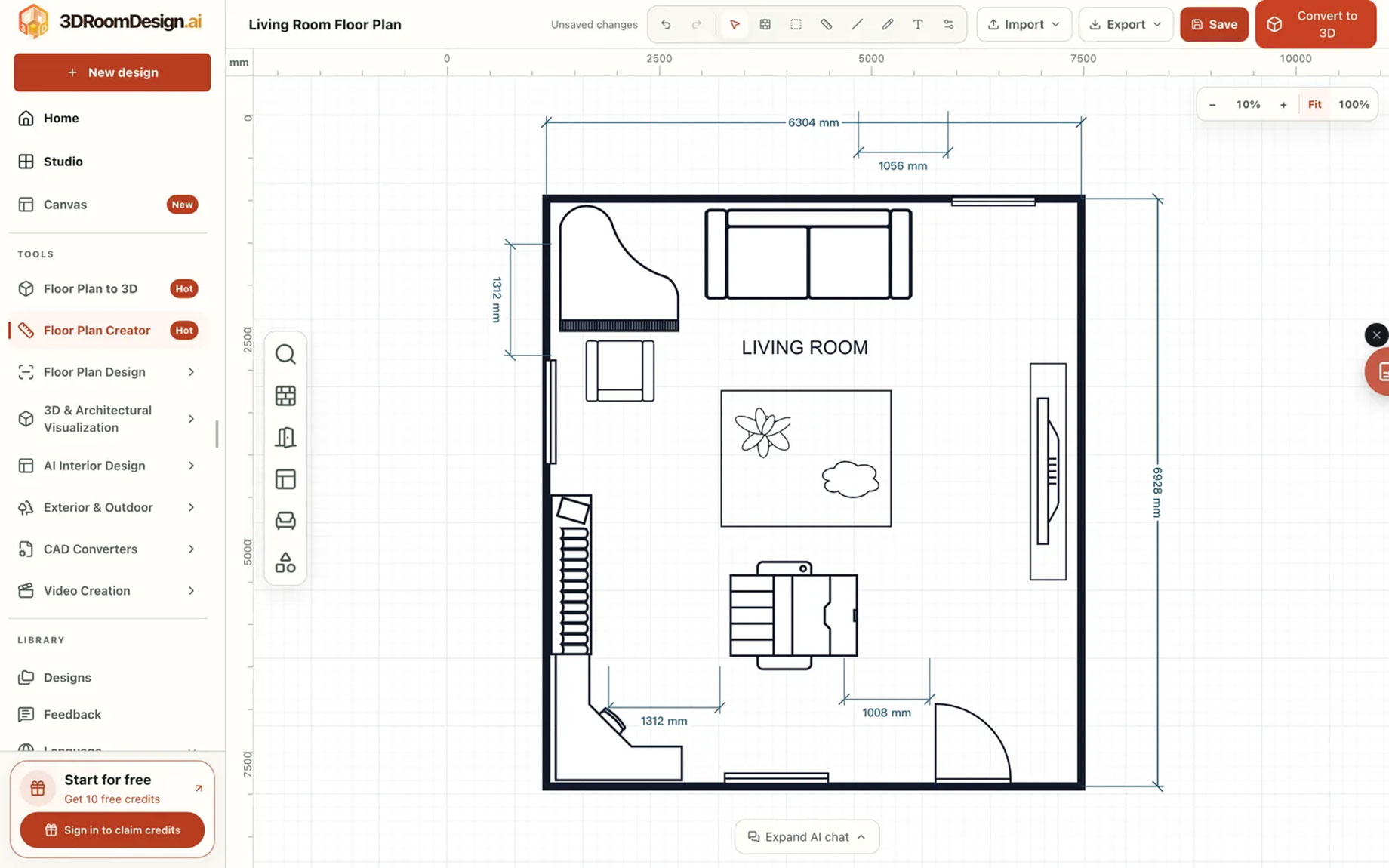
Draw at full size from the first click and leave snap on. A wall that is 2° off does not look wrong until you dimension it, and then the chain will not close. Most floor plan maker canvases will happily scale a finished drawing to fit, which is how 200 mm quietly becomes 180 mm.
Draw walls as thickness, not lines
The commonest beginner mistake is one line per wall. A single line gives no door reveal, nowhere for a partition to meet, nothing to dimension to. Draw the pair, with a gap that means something: roughly 200 mm for an external wall, 100 mm for a partition, 75 mm for studwork — checked against your own building, because a 60 mm partition in a 1930s flat is a fact, not an error.
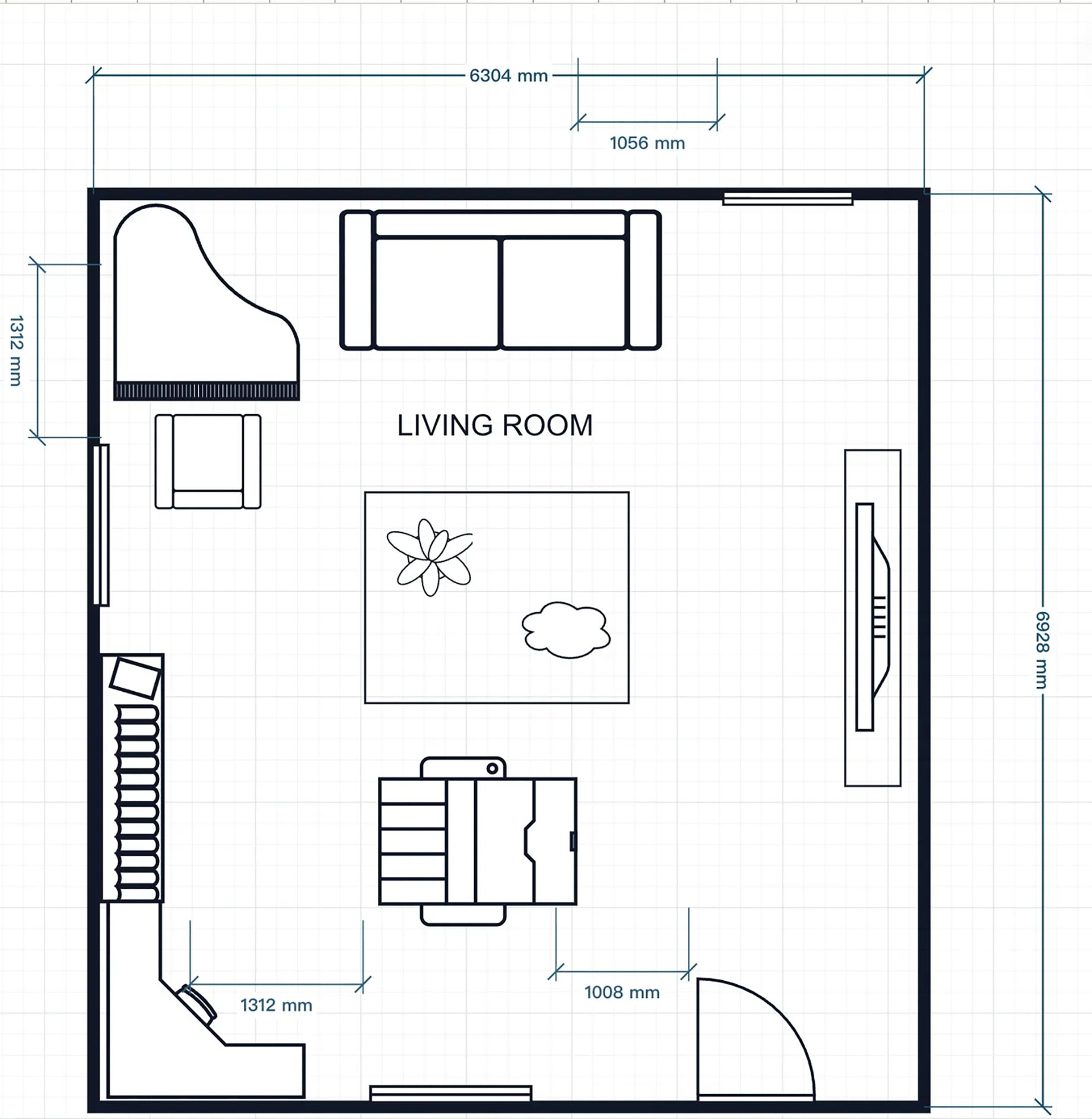
A floor plan maker usually offers two routes to the same result: place a room outline and reshape it, or draw wall by wall and close the loop. Outlines are faster for a simple rectangle; walls are more honest about an L-shaped flat with a chimney breast, which is most flats.
Openings make a plan credible
A door is not a gap. It is an opening of a known width, in a known position, with a swing that either works or fights the furniture. Eight hundred millimetres is the ordinary internal door, nine hundred if accessibility is in scope. Setting-out matters as much: a door 100 mm from the corner behaves nothing like one 600 mm from it. Swing direction is what reviewers check first, because a door opening into a kitchen run is a redesign, not a tweak.
Most floor plan makers place doors and windows as library symbols, which is fine; the symbol is not the decision. Width and sill height tell you whether a desk fits under the glass, and whether the window counts as a means of escape — often the constraint that decides if a room is legally a bedroom.
Furniture last, at true size
Furniture in a floor plan maker is not decoration but proof that the layout works, so it has to be real: a 600 mm kitchen run, a 1600 × 2000 bed with 600 mm beside it, a 900 mm sofa, 600 mm of table edge per diner plus 900 mm behind the chair.
The test is passing widths, not pretty arrangements. Nine hundred millimetres is the minimum comfortable corridor, twelve hundred a pleasure, under seven hundred a daily squeeze. Furniture that is 15% narrower than reality passes reviews it should fail.
The dimension chain catches what the eye misses
Add one continuous chain across the plan — room, partition, room, partition — and compare the total with your overall measurement. Two outcomes: it closes, or the geometry is wrong. A floor plan maker that snaps will still let you place a 3000 mm wall where 2800 mm exists.
Then check diagonals. A 4000 × 3000 room should measure 5000 across; if it reports 5100, the corners are not square, and the error surfaces the day someone fits a wardrobe against that wall. No floor plan maker checks this for you, and it takes a minute.
Export for whoever receives the file
Export is a handoff decision, not a format preference. A PNG goes into a message, a listing, a conversation with a landlord — fast and uneditable, right when the other person is only going to look. DXF goes to CAD and only matters if the scale survives the trip. JSON is the quiet one: it reopens as a project, so next month’s revision does not start from zero.
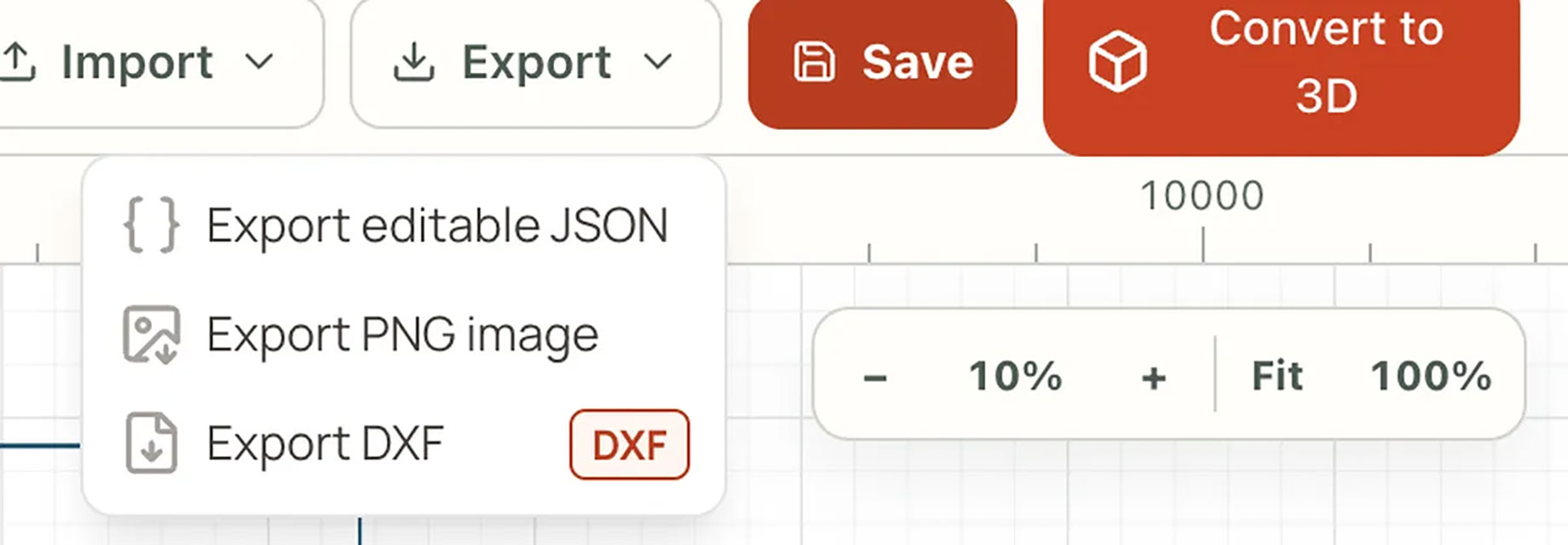
One honest note on imports. Bringing a PNG in as a reference lets you trace over it, which is useful when you have a developer’s marketing plan and no tape measure. It does not turn the picture into editable walls. A floor plan maker can be honest about format; it cannot be honest about where your geometry came from.
Where an easy floor plan maker still stops
An easy floor plan maker gets you to a drawing that is dimensionally honest and readable. It does not get you to a document anyone can build from.
Structure is the first stop: whether a wall carries load is a calculation, not a drawing convention. Code is the second — egress, headroom, ventilation and the definition of a habitable room vary by jurisdiction. Services are the third and the most expensive to forget: a soil stack has a fall, a flue has a route, and neither negotiates with a nice layout.
Treat the output as a proposal with real dimensions: it settles arguments and prices a renovation before it reaches a builder. It is not a survey, and the day someone builds from it, the missing step stops being a formality.
New accounts get 10 welcome credits once, no card required — enough to test an easy floor plan maker against a room you know, not enough to draw a flat twice, which is a fair way to price a trial.
The order is the skill
The tool matters less than the sequence: measure, set units, draw thickness, place openings, furnish to scale, close the chain, export for the right person. Get the order wrong and a better floor plan maker only helps you produce a wrong plan faster.
Get it right and the drawing stops being the point. It becomes the thing everyone argues about, which is where the design work starts.