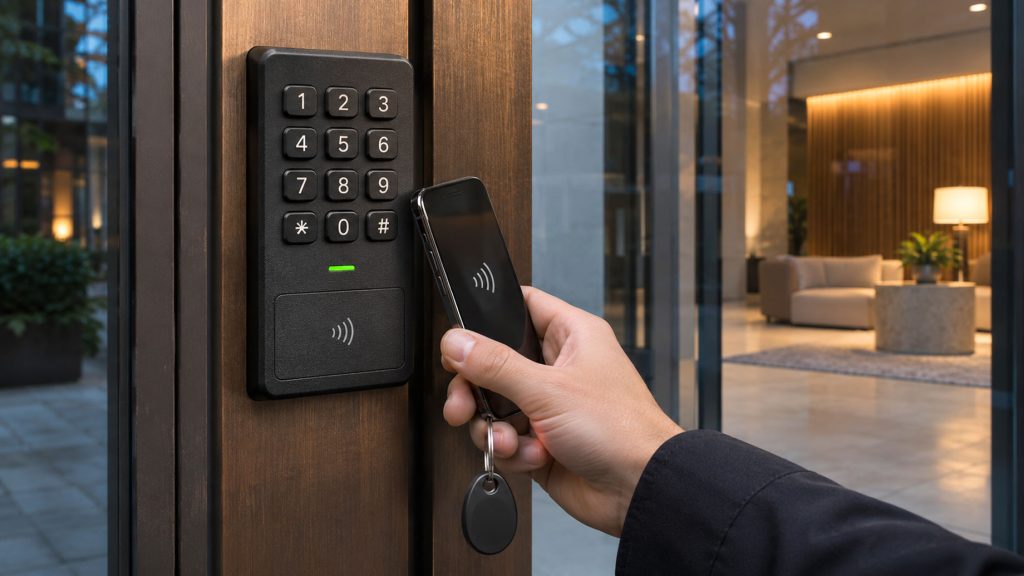
The argument over credential types is usually based on convenience, such as which one residents like or which one feels modern. That is the least useful way to settle it.
Two questions can help you decide it instead: What does the access log tell you the morning after something happens? And who gets shut out when the method fails? Every apartment door access control system runs on one of three methods or some mix of them, and each one answers those two questions differently.
Keypads and PINs
A PIN is something a resident knows. That makes it the cheapest method to implement and the weakest one for attribution.
Nothing has to be issued or collected. A new resident gets a number on move-in day, and the building spends nothing beyond the keypad itself. Winter gloves and a worn keypad are the usual complaints, and both are manageable.
The real limitation is clear afterward. If a building uses one shared code on the side entrance, the log will only record that the door opened at 11:40 p.m. Shared codes can also end up being written on a moving company’s work order or passed around a resident group chat, and the building has no way to know it happened. Unique PINs per resident restore attribution, but at the cost of managing a number for every unit.
Fobs and Keycards
A fob works for every resident regardless of what phone they have, which is its main argument. What it is worth depends entirely on the format.
Older 125 kHz proximity cards transmit an unencrypted ID and can be cloned easily with inexpensive equipment. Encrypted smart credentials authenticate before the door opens, which is a different security position from the same-looking fob issued 10 years ago.
Physical credentials can also be lent, lost, and left in a jacket. The advantage over a mechanical key is that a credential can be instantly revoked using software. A lost fob stops working the moment it is revoked, where a lost key requires rekeying a lock.
Mobile Credentials
Mobile credentials are the easiest to administer. More than 9 in 10 U.S. households had smartphones in 2024, according to the census data.
Nothing changes hands. Staff can issue and revoke credentials from a dashboard, which is beneficial during turnover when 50 units change at once. Credentials go out before a resident arrives and can be pulled back the hour a lease ends.
The dependency is the phone. Dead batteries and replaced handsets create support calls, and so do residents who decline the app. Coverage is not universal either. Residents without a smartphone need another credential.
Think About Turnover Before You Decide
Credential choice looks different at 10 units than at 300 hundred.
A building with low turnover and a single entrance can hand out fobs for years without strain. A property cycling through a third of its leases every summer is a different operation. Staff spend their time provisioning 50 residents in a week, revoking another 50, and chasing unreturned hardware.
The method that survives move-in season is usually the one that needs no physical handoff.
Most Buildings End Up Running Two Types of Credentials
A multi-technology reader accepts more than one credential type, so the choice is not exclusive. The practical setup is mobile for most residents and a physical credential for anyone who cannot or will not use a phone, with PINs for amenity doors.
Three questions settle the mix:
- How much turnover does the property handle in a year?
- What share of residents will adopt a phone-based credential without support calls?
- Which doors need attribution in the log, and which only need to be locked?
Final Thoughts
No single credential type wins on cost, convenience, and accountability at the same time. A small building with stable residents and one entrance can run fobs alone and be fine. Scale and turnover can break that system gradually.
Decide which doors need to tell you who opened them, then pick the credentials accordingly.