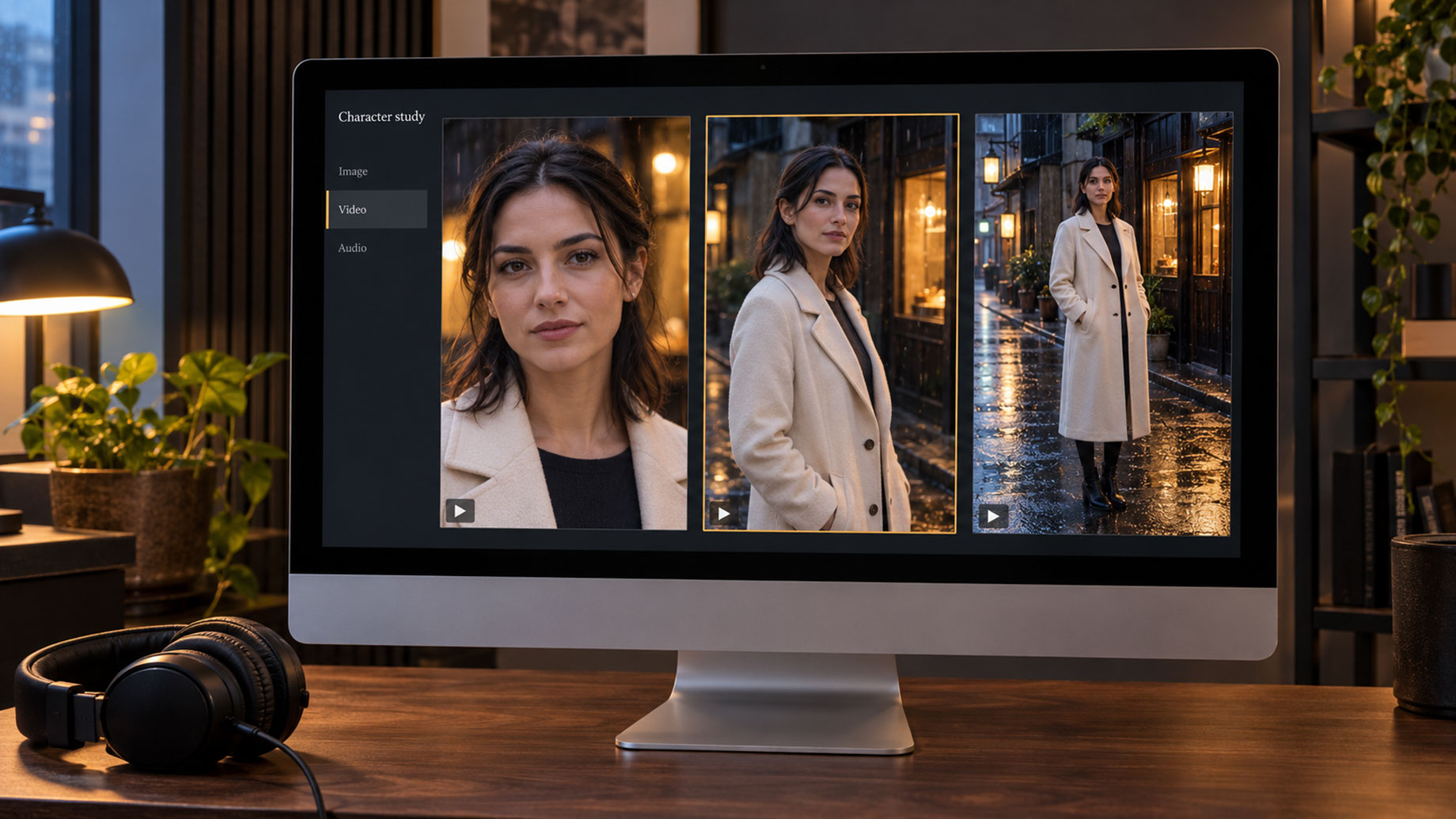
For creators producing content that features the same characters, products, or visual identities across multiple scenes, DramaPixel offers a compelling approach to AI-powered production. Whether the project involves serialized short dramas, product advertising campaigns, creator-led brand content, or virtual influencers, its reference-based workflow is designed to address one of the biggest challenges in AI video generation: visual consistency.
However, DramaPixel is not necessarily the strongest choice for every type of project. Creators primarily interested in producing individual cinematic sequences may find alternatives such as Luma better suited to their requirements.
This DramaPixel review examines the platform through approximately three weeks of practical testing across three different creative projects. The assessment covers image generation, character consistency, video production, audio capabilities, pricing, workflow efficiency, and comparisons with competing AI tools.
How DramaPixel Was Tested
Testing began around mid-September 2026, initially focusing on a serialized short-drama project. However, evaluating the platform through a single production format would have provided a limited understanding of its capabilities. The testing scope was therefore expanded to include two additional projects: an advertising campaign for an independent skincare brand and a fashion lookbook.
These three projects provided opportunities to evaluate DramaPixel across different production requirements, including maintaining character identity, preserving product details, combining multiple visual references, and generating variations for commercial content.
The evaluation also considered whether an AI video generator could support a practical production workflow rather than simply produce impressive individual demonstrations. This distinction is particularly important for creators who regularly need to generate, revise, and deliver large volumes of visual content.
What Is DramaPixel?
DramaPixel is a browser-based AI content creation platform that brings image generation, video production, and audio tools into a single workspace. Its primary distinguishing feature is a reference-driven production workflow intended to help maintain consistent characters, products, and visual elements across multiple scenes.
Rather than relying entirely on detailed text prompts to recreate the same subject repeatedly, DramaPixel allows creators to provide visual references and use those references to guide subsequent generations.
The platform also provides access to several AI video model families, including Seedance, Veo, Kling, and Wan. Users can select different models for individual shots depending on the visual requirements and available credits.
This combination makes DramaPixel particularly relevant to short-drama producers, performance marketers, fashion and beauty content teams, and independent studios producing content on a recurring schedule. Its capabilities are less specifically oriented toward isolated cinematic showcase shots or the complex administrative requirements of large enterprises.
Getting Started With DramaPixel: Signup and First Impressions
The initial signup process during testing was straightforward. Google authentication allowed an account to be created in approximately 30 seconds, with free credits made available immediately and no payment card required.
The dashboard presented a relatively clean interface, with image, video, and audio tools accessible through a left-side navigation menu. Recent projects appeared on the home screen, making it easy to return to existing work without navigating through multiple layers of menus.
An initial text-to-image character portrait produced an acceptable result, although the output itself was not particularly distinctive compared with other contemporary AI image generators.
What became more interesting was the platform’s emphasis on uploading reference images instead of continually expanding text prompts.
Many AI generation tools encourage users to describe a subject in increasingly specific language. DramaPixel takes a somewhat different approach: creators can establish a subject visually and then use text instructions to determine what that subject should be doing.
For anyone who has struggled to reproduce the same character’s face across several AI-generated scenes, this approach can make a meaningful difference.
AI Image Combiner: DramaPixel’s Standout Feature
One of the most frequently used features throughout the evaluation was DramaPixel’s AI image combiner.
The tool allows users to upload multiple reference images and combine them into a coherent generated composition. For example, a creator might provide one reference for a character, another for an outfit, and a third for a background environment. Additional references can be introduced for objects or props.
Combining Characters, Clothing, and Backgrounds
One scene from the short-drama project involved a female lead in her thirties standing on a rainy Tokyo backstreet while wearing a cream-colored wool coat.
The scene required three separate visual references:
- An established character reference from an earlier image set.
- A product photograph showing the desired wool coat.
- A nighttime street photograph providing the environmental reference.
After the three references were uploaded and a short prompt was entered, the first generation produced a reasonably accurate composition. However, the coat appeared more beige than cream.
Increasing the weighting of the clothing reference and regenerating the scene produced a substantially closer match on the second attempt.
This relatively quick correction was one of the most useful findings from the test. Similar tasks performed with other AI generation tools had sometimes required five or more iterations to reach a satisfactory result.
Character Consistency Across Multiple Scenes
Character consistency remained one of DramaPixel’s stronger capabilities throughout the six-episode drama project. The lead character retained a recognizable facial identity across numerous scenes, despite changes in clothing, lighting, and environment.
The results were not completely consistent. Some visual drift remained noticeable in side-profile compositions and heavily backlit scenes. Nevertheless, the overall consistency was stronger than that achieved with other tools used in the reviewer’s previous workflows.
For serialized productions, even an imperfect improvement in character consistency can be valuable. Fewer unusable generations mean less time spent correcting scenes and a more manageable production process.
Product Consistency for Advertising Content
The skincare advertising project provided another useful test of DramaPixel’s image-reference capabilities.
A skincare bottle was incorporated into approximately 30 generated compositions featuring different lifestyle environments. Across most of these generations, the product’s label remained legible and its overall appearance was preserved.
Three or four outputs exhibited noticeable label warping or distortion, although regeneration helped resolve these issues. The results suggest that DramaPixel can be useful for generating product-focused advertising variations, particularly when maintaining recognizable packaging is important.
However, products featuring detailed typography, labels, or other precise visual elements should still be inspected carefully before the results are used commercially.
Tips for Better Image Combiner Results
Several practical observations emerged from the image-combining tests:
- Use clear, well-lit character references. Images showing a subject facing approximately toward the camera generally produced more consistent results than heavily shadowed images or side profiles.
- Start with three reference images. Combining three references proved relatively reliable during testing. Four-reference compositions were possible but often required additional iterations.
- Avoid unnecessary reference complexity. Five-reference compositions were not evaluated, as the increasing difficulty observed with four references made further complexity less attractive.
- Inspect product details closely. Packaging, labels, and other design elements can remain consistent, but occasional distortion is still possible.
These limitations are not necessarily unique to DramaPixel. They reflect broader challenges associated with contemporary AI image generation, particularly when several visual references must be reconciled into one coherent scene.
AI Video Generation: Model Selection and Production Efficiency
DramaPixel’s ability to select different AI video models for individual shots became increasingly valuable as testing progressed.
During the first few days, most shots were generated using a premium, Veo-class model. Although this approach produced satisfactory results, it also consumed credits relatively quickly.
A more efficient workflow emerged when models were selected according to the importance and complexity of each shot.
- Premium models: Reserved for emotionally significant close-ups, important character reactions, scene-opening sequences, and other visually demanding shots.
- Lower-cost models: Used for connecting shots, transitions, supporting coverage, and less demanding sequences.
Across the three projects, this approach was estimated to reduce overall credit consumption by approximately 40% compared with using premium models for every generation.
That figure should be treated as an approximate observation rather than a precisely measured benchmark. Nevertheless, the difference in credit consumption was noticeable during production.
For creators working with a fixed monthly credit allowance, choosing the appropriate model for each shot can help extend the usable production capacity of a subscription.
Motion Quality and Character Animation
Basic character movements, including walking, turning, and simple gestures, generally produced acceptable results. Premium models handled these actions with relatively clean motion.
More complicated movement remained challenging. Fight choreography, precise dance sequences, and other actions requiring specific coordinated movements frequently demanded multiple attempts.
These difficulties are consistent with limitations commonly encountered across AI video generation platforms and should be considered when planning scenes that depend on exact physical actions.
Camera Controls and Cinematic Movement
DramaPixel supports familiar camera movements, including push-ins, pull-outs, pans, orbital movements, and static compositions.
These options are sufficient for many short-form narrative and advertising projects, although the testing did not identify particularly advanced camera-control features that would distinguish DramaPixel from more cinematography-focused alternatives.
For productions prioritizing elaborate cinematic camera movement above character consistency, Luma remained the preferred option in the reviewer’s workflow.
Clip Length and Video Stitching
Generated video clips were generally limited to approximately eight to ten seconds, depending on the selected model.
Longer sequences could be assembled through the platform’s stitching functionality, which allows multiple generated clips to be connected.
Although functional, stitching occasionally introduced small inconsistencies between adjacent clips. These included subtle lighting changes and minor shifts in background details.
Experienced video editors may be able to conceal such transitions through careful cutting and scene planning. Less experienced users should expect to spend additional time reviewing transitions when assembling longer sequences.
DramaPixel Audio Features: AI Voices, Music, and Sound Effects
DramaPixel includes several audio production capabilities within the same browser-based workspace, including AI-generated voices, background music, sound effects, and voice cloning.
These features received less extensive testing than the platform’s image and video generation tools. Overall audio quality was acceptable, although it did not emerge as the strongest aspect of the platform.
For the short-drama project, DramaPixel’s native voice-generation tools were used during initial production drafts. The final character voices were subsequently produced using ElevenLabs.
By comparison, the skincare advertising project used DramaPixel’s built-in audio for its final deliverables, with satisfactory results for that particular application.
While dedicated audio platforms may offer greater capabilities for specialized voice production, having audio, image, and video functionality available within one workspace reduces the need to continually switch between separate applications.
For smaller production teams, this convenience can simplify project management and reduce workflow interruptions.
DramaPixel Pricing: Are the Credits Worth It?
DramaPixel uses a credit-based pricing structure, with free signup credits, separately purchased credit packs, and monthly subscription options for users with more substantial production requirements.
The most suitable purchasing approach depends largely on production volume, the types of models being used, and how frequently new content is generated.
Credit Usage Across Three Projects
The three projects provided different examples of how DramaPixel’s credit structure could be used:
- Short-drama production: Six episodes involving approximately 180 shots. Given the volume of production, a monthly subscription was considered the more practical option.
- Skincare advertising campaign: Twelve advertising variants. A separately purchased credit pack provided sufficient capacity for the project.
- Fashion lookbook: Twenty-four shots, primarily involving image-combiner work. The project was completed using free signup credits supplemented by a small credit pack.
One advantage noted during testing was that separately purchased credit packs were not subject to a monthly expiration cycle. This distinction can be useful for freelancers and independent creators whose workloads vary significantly from week to week.
Creators with consistent daily production requirements may find subscription plans more practical, while those handling occasional projects may prefer purchasing credits as needed. Current plan terms and credit allowances should be checked before making a purchasing decision.
The Real Cost per Finished Video Shot
Credit prices alone do not necessarily determine the actual cost of producing usable AI-generated content.
A more relevant consideration is the number of generations required to produce a satisfactory final result. If a tool repeatedly changes a character’s appearance or introduces unwanted alterations to product details, creators may consume substantial credits correcting those mistakes.
During the DramaPixel evaluation, the reference-driven workflow appeared to reduce the number of unsuccessful generations once characters and other visual elements had been established.
Consequently, the estimated cost per usable shot was lower than with several alternative tools previously used in comparable workflows. This finding reflects the reviewer’s production experience rather than a controlled cost comparison across all competing platforms.
For recurring character and product-based content, reducing wasted generations may be more financially meaningful than selecting the platform with the lowest advertised credit price.
What DramaPixel Does Well
Several features stood out during the three-week evaluation, particularly those related to repeatable production workflows.
- Reference-first content creation: Preparing a consistent set of visual references before generating scenes can reduce the need for lengthy prompts and repeated corrections. Spending approximately 20 minutes preparing references helped avoid unsuccessful generations later in production.
- Flexible AI model selection: Choosing different models for important shots and supporting sequences provides greater control over credit consumption and production priorities.
- Integrated production environment: Access to image generation, video tools, and audio capabilities in one workspace can reduce the friction associated with moving between multiple services.
- Support for vertical video: The platform treats the 9:16 aspect ratio as a native production format rather than simply cropping horizontal footage, making it relevant to short-form social content and vertical dramas.
- Accessible initial testing: Free signup credits provide an opportunity to explore the platform’s capabilities before committing to a paid plan.
Together, these capabilities make DramaPixel particularly appealing for projects where the same subjects, visual identities, or products must appear repeatedly across different scenes.
Where DramaPixel Falls Short
Despite its strengths, DramaPixel has several limitations that prospective users should consider.
Limited Template Library
DramaPixel’s template selection is relatively limited compared with design-focused platforms such as Canva. Creators who rely heavily on ready-made layouts and templates may find its workflow less convenient.
Learning Curve for Model Selection
Although the ability to select different video models is valuable, determining which model is most appropriate for a particular task requires experimentation.
During the first week of testing, unfamiliarity with the available models contributed to unnecessary credit consumption. More detailed model-selection guidance would make the platform easier to use efficiently from the beginning.
Slower Generation During Busy Periods
Generation speeds appeared to decline during certain weekday afternoon periods, particularly around 3–4 p.m. in the testing environment.
These observations do not establish a universal peak-hour pattern, but they suggest that creators working under tight deadlines should allow additional time for possible generation queues.
Limited Enterprise Capabilities
DramaPixel appears better suited to individuals and smaller production teams than organizations requiring sophisticated administrative controls.
Businesses needing features such as single sign-on, granular user permissions, and complex internal approval workflows may find the available enterprise functionality insufficient for their requirements.
Documentation Could Be More Comprehensive
The platform’s core tools are generally approachable, but documentation for more advanced workflows was limited during testing.
Some functionality required experimentation rather than following clearly documented procedures. While this may be manageable for experienced users, it adds unnecessary time to the learning process.
Who Should Use DramaPixel?
DramaPixel is most relevant to creators and production teams whose work depends on repeated visual consistency, frequent content generation, or the ability to produce multiple variations from established references.
Short-Drama and Serialized Video Creators
Creators producing episodic narratives, particularly vertical short dramas, can benefit from the platform’s emphasis on maintaining recurring character identities across multiple scenes.
Performance Marketers and Advertising Teams
Marketing teams generating multiple advertising variants for the same product may find DramaPixel’s reference-based workflow especially useful. Once an established product reference is available, it becomes easier to create alternative backgrounds, compositions, and promotional scenes without rebuilding the visual concept for each variation.
Fashion, Beauty, and Lifestyle Content Producers
Fashion and beauty projects frequently involve presenting the same model, product, or clothing collection across different settings. DramaPixel’s image-combining functionality is well aligned with these requirements, although complex product details should still undergo visual review.
Freelancers and Small Creative Studios
Independent creators and small studios with uneven workloads may appreciate the flexibility of purchasing credits separately instead of maintaining a subscription during periods of limited production.
Creators Struggling With Character Drift
One of DramaPixel’s clearest potential benefits is reducing character drift, where an AI-generated subject changes appearance between scenes. Although the platform does not eliminate this problem, its reference-driven workflow produced noticeably improved consistency during the review.
Who May Prefer an Alternative?
DramaPixel may be less essential for creators focused primarily on individual cinematic showcase shots, talking-head avatar presentations, or template-based social media graphics.
For these specialized requirements, platforms such as Luma, HeyGen, and Canva may provide more directly relevant capabilities.
DramaPixel vs. Other AI Video and Content Creation Tools
DramaPixel competes within a rapidly evolving AI creation market, although not every alternative serves the same production requirements. The following comparisons reflect the qualitative workflow observations discussed in this review rather than standardized head-to-head benchmark testing.
DramaPixel vs. Luma
Luma was preferred for individual cinematic sequences and camera-driven visual compositions, while DramaPixel performed more effectively for projects requiring recurring character consistency across numerous scenes.
The choice largely depends on whether cinematic presentation or repeatable visual identity is the higher priority.
DramaPixel vs. Vidu
Both DramaPixel and Vidu offer capabilities relevant to character consistency. DramaPixel was favored for multi-reference compositions, while Vidu was considered stronger for certain stylized and anime-oriented outputs.
Creators working with realistic product compositions may therefore prioritize different capabilities from those producing animated or heavily stylized content.
DramaPixel vs. HeyGen
HeyGen and DramaPixel address substantially different production needs. HeyGen is primarily associated with AI avatar presentations and talking-head content, whereas DramaPixel emphasizes scene-based narratives and reference-driven visual generation.
For scripted avatar presentations, HeyGen may be more appropriate. For narratives involving characters moving through different environments, DramaPixel is more closely aligned with the workflow.
DramaPixel vs. Canva
Canva approaches content creation primarily through design tools, templates, and accessible editing features, with AI functionality integrated into its broader platform.
DramaPixel takes a more AI-generation-focused approach, making it better aligned with users who want to build scenes and video sequences from prompts and references rather than assemble content through established design templates.
DramaPixel vs. Flova
Flova places greater emphasis on automated and agent-driven workflows, while DramaPixel offers a more directly controlled approach to image references, model selection, and individual shot generation.
Creators who prefer to manage individual production decisions may appreciate DramaPixel’s flexibility, whereas those seeking greater automation may prefer exploring Flova.
Final Verdict: Is DramaPixel Worth Using in 2026?
After approximately three weeks of testing across a six-episode short drama, a skincare advertising campaign, and a fashion lookbook, DramaPixel emerged as a useful addition to a recurring AI content production workflow.
Its greatest strength is not necessarily the quality of any single generated shot. Instead, the platform distinguishes itself through reference-based production, improved consistency across repeated subjects, and the flexibility to select different AI models according to each shot’s requirements.
These advantages are particularly relevant to serialized content creators, marketers producing advertising variations, and fashion or lifestyle teams that need consistent visual elements across numerous deliverables.
The platform is not without shortcomings. Its documentation could be more comprehensive, model selection requires some experimentation, the template library is relatively limited, and its enterprise capabilities may not satisfy larger organizations.
Nevertheless, DramaPixel performed well in the production areas it appears designed to address. The ability to establish reliable visual references, reduce repeated generations, and manage different production tools from a central workspace contributed to a more efficient workflow during testing.
Creators producing recurring characters, product advertising variations, or serialized visual content should consider testing DramaPixel with a representative project. Starting with a small reference set and using the available signup credits provides a practical way to evaluate whether its workflow meets their production needs.
Overall Rating: 4.5/5
The rating reflects the platform’s strengths in character consistency, reference-based generation, and production flexibility, with deductions for limited documentation, enterprise functionality, and the learning curve associated with selecting appropriate AI models.