A concept vehicle only really proves itself once you see it move, how it handles a turn, how light plays across its surface at speed, whether it actually feels like something built for the world it’s meant to exist in. Text to video tools can now show that motion directly from a written description, and Dreamina’s Seedance 2.5 renders mechanical movement and reflective surfaces precisely enough that a futuristic transport concept looks like footage from an actual test track.
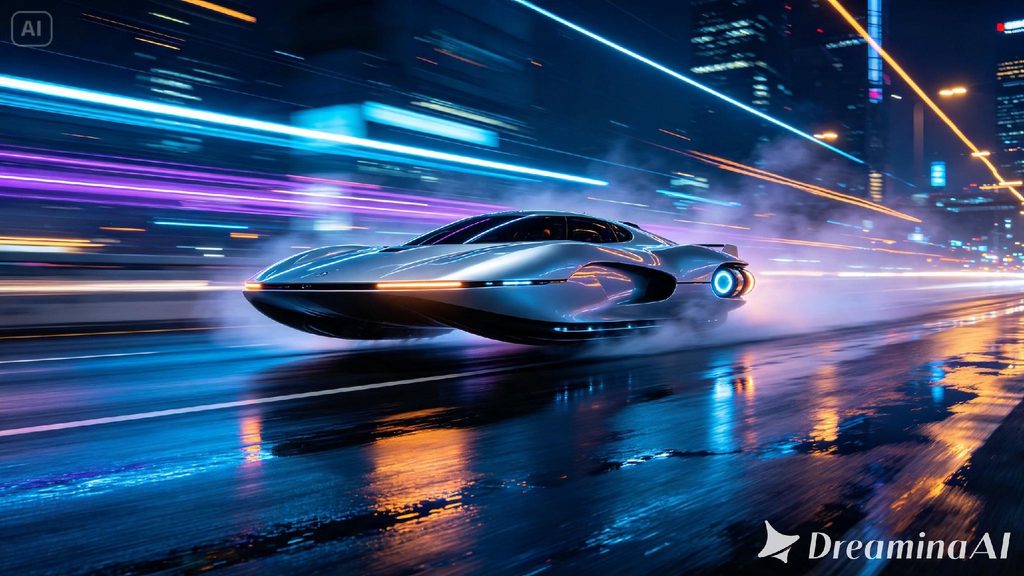
Why transportation concepts demand motion to feel real
A vehicle sitting still in a render can look impressive without proving anything about how it actually functions. Speed, handling, and the way light moves across a surface in motion, none of that shows up in a static image. Describing the vehicle in motion, rather than parked and posed, is what actually convinces a viewer the concept could work in the real world.
Choosing the moment that sells the concept
A full journey doesn’t need to appear in one clip, so it helps to isolate the moment that shows the vehicle at its most convincing. A few moments tend to work particularly well:
- A tight turn or maneuver that shows off handling and control
- A straightaway at speed, emphasizing how the vehicle cuts through air or water
- A close, detailed shot of a specific mechanical feature in motion
Pick the moment that reveals the vehicle’s core idea, not just its exterior shape sitting in a showroom.
Futuristic transport highlights for Seedance 2.5
Seedance 2.5 was engineered to render mechanical concepts with precision and physical believability that holds up under close inspection.
Mechanical motion with real precision
The model renders how a vehicle’s components should move together, wheels, panels, propulsion elements, keeping the mechanics internally consistent rather than looking like separate parts loosely animated on top of each other.
Reflective surface rendering in motion
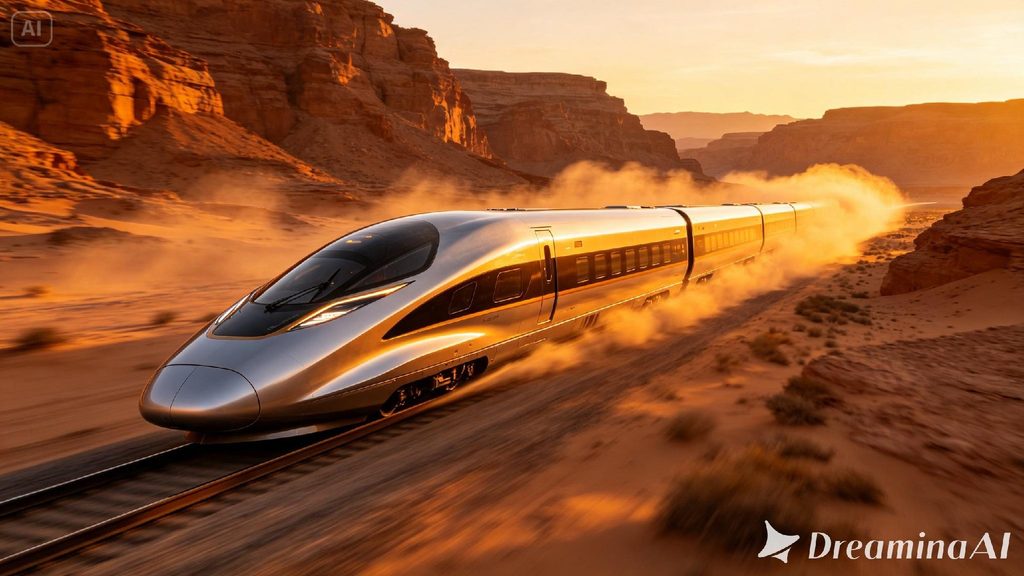
Curved, metallic, or glass surfaces catch and distort light convincingly even as a vehicle moves quickly, keeping reflections consistent with the environment around it rather than looking pasted on artificially.
Environmental interaction at speed
Water displacement, air disturbance, and dust kicked up by movement all render with real physical weight, helping a concept vehicle feel like it’s genuinely interacting with its surroundings rather than floating above them untouched.
Extended duration for full concept reveals
Ultra-long video generation runs up to 180 seconds, enough time to show a vehicle from multiple angles and speeds within one continuous sequence rather than needing several disconnected shots stitched together.
What makes a transportation prompt actually convincing
A vague prompt just says futuristic vehicle and leaves the mechanics to guesswork. A convincing one names the propulsion method, the material finish, and how the vehicle interacts with its environment, kicking up water, displacing air, reflecting passing light. That mechanical specificity is what separates a genuine concept render from something that just looks like a shiny car with extra lights attached.
Your three step path from idea to finished scene
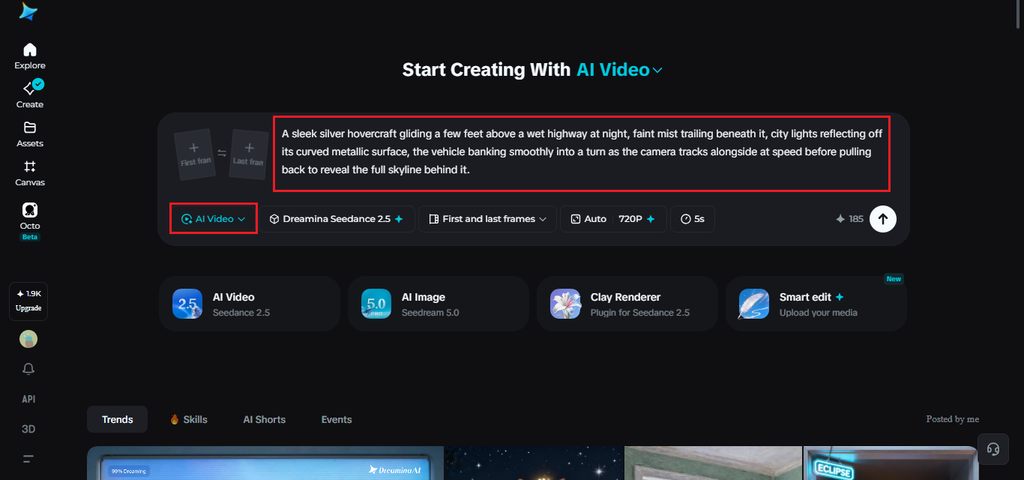
Step 1: Enter your prompt and add a reference if you have one
Open Dreamina and head to the AI Video section. If you have a sketch or reference image of the design, upload it through “Add reference image” to anchor the scene. If you’re working purely from text to video, skip that and describe the vehicle and its motion in full detail instead.
Example: A sleek silver hovercraft gliding a few feet above a wet highway at night, faint mist trailing beneath it, city lights reflecting off its curved metallic surface, the vehicle banking smoothly into a turn as the camera tracks alongside at speed before pulling back to reveal the full skyline behind it.
Step 2: Choose Seedance 2.5 and generate
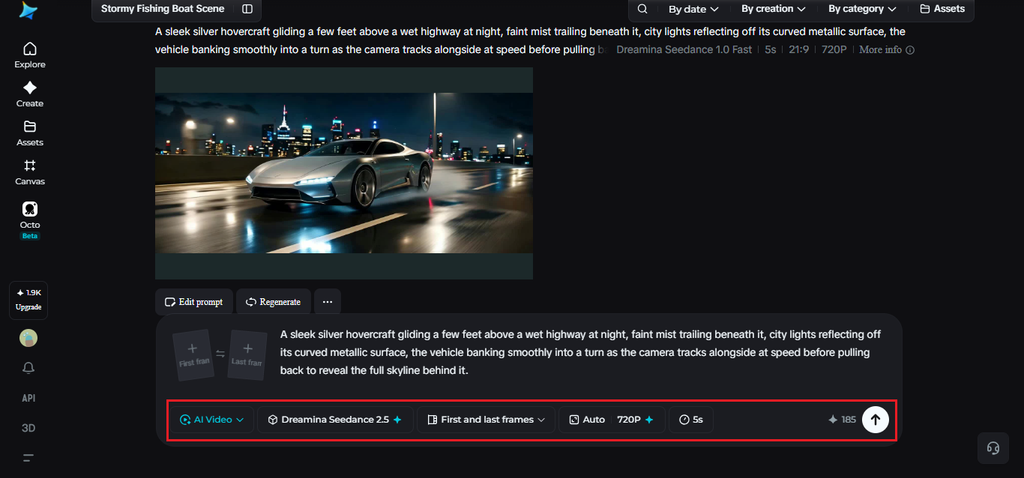
Select Seedance 2.5 once your prompt is ready, since it handles mechanical motion and reflective surfaces particularly well. Pick a length that fits the moment, then an aspect ratio, 16:9 for a cinematic concept reveal. Generate and give it a few seconds to render.
Step 3: Refine the detail and export
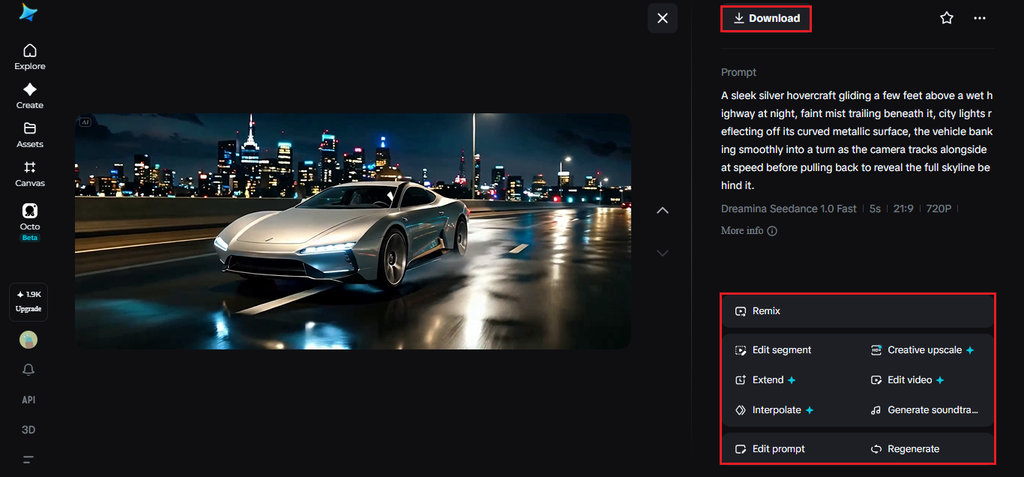
Once the clip comes back, check that the vehicle’s motion and surface detail both read as convincing before finishing up. Upscale sharpens fine reflective detail, and Generate soundtrack can add a fitting ambient or mechanical sound layer. Export it once it’s ready for a pitch or presentation.
Choosing angles that highlight the design
Camera angle does as much work as the vehicle’s own design in selling a concept. A low angle emphasizes speed and power, while a wider shot against a dramatic landscape emphasizes scale and ambition. Choosing an angle that matches the vehicle’s intended purpose, whether that’s speed, luxury, or utility, gives Seedance 2.5 a clearer sense of what the scene is actually meant to communicate.
Where these transportation concepts are already being used
These clips have moved well past internal design reviews. Startups use them to pitch a concept vehicle before committing to physical prototyping costs, automotive designers use them to test a design’s feel in motion before it’s built, and game studios use early renders to establish the look of a futuristic setting. A concept that used to live only as a static sketch can now be seen moving convincingly, and thanks to Seedance 2.5, it looks finished enough to genuinely support a pitch.
Bringing a transportation concept to life used to mean expensive prototyping or a dedicated motion design team. With Dreamina and the mechanical precision of Seedance 2.5, that same concept can go from a written idea to a convincing moving render before a single physical part is ever built.