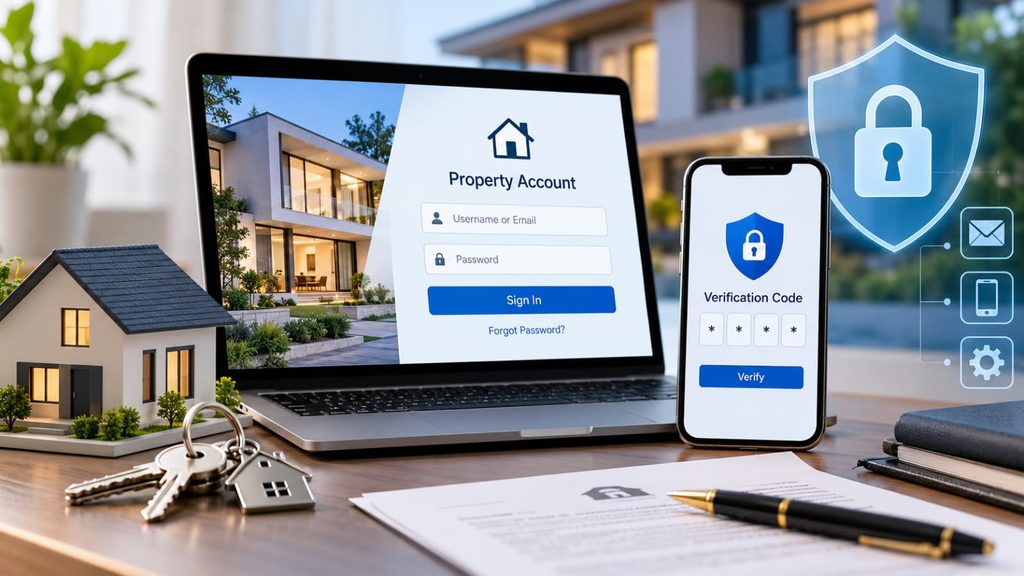
In today’s digital world, managing property-related information online has become an essential part of modern real estate ownership. From exploring luxury properties to maintaining important documents, digital platforms offer convenience to homeowners, investors, and real estate professionals. However, losing access to an online account can sometimes create unnecessary complications. Understanding the right recovery process can help you regain access and protect your valuable information.
Main Reasons People Experience Account Access Issues
These are some of the most common reasons people experience difficulties accessing their online property accounts:
- Forgetting their username or password
- Entering incorrect login credentials multiple times
- Leaving an account inactive for an extended period
- Experiencing device or browser compatibility issues
- Confusing different property management platforms or website addresses
Understanding these common issues can help property owners resolve login problems more efficiently and maintain better control over their digital accounts.
Steps to Recover Your Online Property Account
1. Visit the Official Website
Start by visiting the official website of your property management platform or real estate service provider. Make sure you are accessing the correct website, as similar-looking domains can sometimes create confusion. Using a verified website is an important step in maintaining digital security.
2. Select an Account Recovery Option
Once you reach the homepage, look for options such as “Forgot Password” or “Forgot Username.” These features are commonly available on property management platforms and real estate portals. Select the option that best matches your account access issue.
3. Enter Your Registered Information
Provide the information associated with your account, such as your:
- Registered email address
- Mobile phone number
- Username
Make sure the information matches the details you originally provided during registration. Accurate information helps the platform identify your account and initiate the recovery process.
4. Verify Your Identity
Depending on the platform, you may receive a one-time password (OTP) through email or text message. Enter the verification code to confirm your identity. This additional security measure helps protect your account from unauthorized access.
5. Create a Strong New Password
After completing the verification process, create a new password. A strong password should include a combination of uppercase and lowercase letters, numbers, and special characters. Avoid using easily guessed information, such as your name, birthday, or property address.
6. Sign In Again
Return to the login page and sign in using your updated credentials. Make sure you are using the correct website address and that your browser is not redirecting you to an outdated or unfamiliar page.
Still Experiencing Issues? Here’s What to Do
If the recovery steps do not resolve your problem, contacting the platform’s customer support team may be the next appropriate step. Depending on the service, assistance may be available through:
- Live chat
- Email support
- Telephone assistance
Keep your registered information and any relevant account details ready. This can help the support team understand your issue and provide more efficient assistance.
Common Account Security Mistakes to Avoid
When managing digital accounts related to real estate, property ownership, or online services, it is important to avoid common mistakes that could compromise your information.
- Avoid clicking unfamiliar links that lead to outdated or suspicious websites.
- Make sure your registered contact information is accurate.
- Never share verification codes or passwords with unknown individuals.
- Avoid repeatedly entering incorrect passwords.
- Do not access sensitive property information through unsecured public networks.
Following these precautions can help reduce unnecessary account issues and improve your overall digital security.
What to Do After Recovering Your Account
Once you regain access to your account, take a few additional steps to protect your information in the future. Whether you are managing residential properties, exploring luxury real estate opportunities, or reviewing important property documents, account security should remain a priority.
- Store your login credentials in a secure password manager.
- Enable two-factor authentication whenever available.
- Avoid signing in on unfamiliar or shared devices.
- Keep your registered email address and phone number updated.
- Use only verified websites and trusted digital platforms.
These simple practices can help protect your personal information and make managing online property services more convenient.
Why Choosing the Right Digital Platform Matters
Digital platforms have become an important part of modern real estate management. From browsing premium properties to managing ownership documents, choosing a reliable platform can make a significant difference in your overall experience.
A trustworthy platform generally offers:
- Secure login and account management features
- Accessible account recovery options
- Reliable customer support
- Clear privacy and security policies
- A smooth and user-friendly experience
For homeowners, investors, and real estate professionals, using reliable digital services can help simplify property-related tasks while protecting sensitive information.
Quick Account Recovery Checklist
Here is a simple checklist to help you regain access to your online property account:
- Visit the official website of your service provider.
- Select “Forgot Username” or “Forgot Password.”
- Enter your registered information.
- Complete the identity verification process.
- Create a strong new password.
- Sign in and review your account security settings.
Following these steps can help make the recovery process more straightforward.
Conclusion
Losing access to an online account does not have to become a major inconvenience. By following the right recovery steps, you can often restore access and continue managing your digital property services without unnecessary delays.
Whether you are a homeowner, property investor, or real estate professional, maintaining secure online accounts is an important part of modern property management. Using verified websites, creating strong passwords, and protecting your personal information can help you enjoy a safer and more convenient digital experience.
For individuals exploring other online services, understanding account recovery and digital security is equally important. Resources such as the online cricket ID app can provide additional information about accessing online accounts, while a cricket betting id highlights the importance of maintaining secure login credentials across different digital platforms.