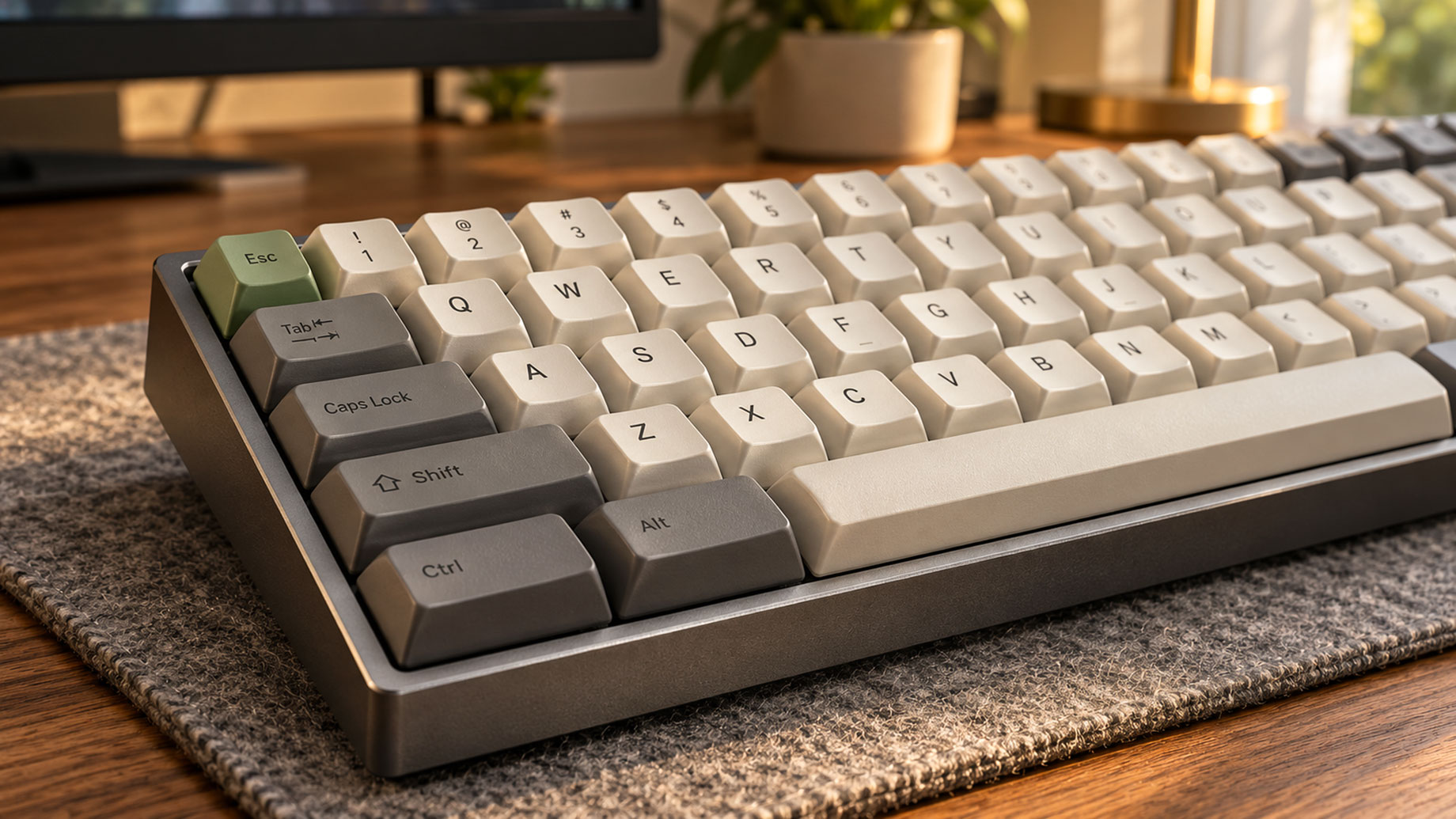
A keyboard is one of the most frequently used pieces of technology in a home office, yet it is often chosen as an afterthought. While monitors, desks, and chairs receive plenty of attention, the keyboard plays an equally important role in the everyday experience of working at a computer.
For people who value both functionality and design, mechanical keyboards offer an interesting combination of practical performance and personal expression. From the feel of individual switches to the colors and materials of the keycaps, small details can change how a keyboard looks, sounds, and responds.
But with so many options available, choosing the right one isn’t always straightforward. Understanding the differences in switches, keycaps, keyboard profiles, and construction can help you find a keyboard that fits both your typing habits and your workspace.
What Makes Mechanical Keyboards Different?
The main difference between mechanical keyboards and conventional membrane keyboards lies beneath the keys.
Most mechanical keyboards use individual mechanical switches to register keystrokes. These switches contain moving components that create a particular typing feel, allowing users to choose between different levels of resistance, feedback, and sound.
Membrane keyboards typically use a rubber dome and membrane contact system. They are often more affordable and can be suitable for everyday computing, but usually provide fewer options for changing individual switches.
One of the biggest advantages of a mechanical keyboard is the variety of typing experiences available. Rather than settling for a single design, users can compare different layouts, switch types, and construction styles to find something that suits their preferences.
Mechanical keyboards can also offer customization options, including replaceable keycaps, programmable keys, and hot-swappable switches on compatible models.
These possibilities have helped transform keyboards from ordinary computer accessories into products that reflect individual preferences.
Choose the Right Switch for Your Typing Style
Switch selection is one of the most important decisions when choosing a mechanical keyboard.
Although individual switches vary considerably, most conventional mechanical switches fall into three broad categories.
Linear Switches
Linear switches move smoothly throughout the keystroke without a pronounced tactile bump.
They are often preferred by users who enjoy consistent key movement with minimal physical interruption. Depending on the switch and keyboard construction, they can also provide a relatively quiet typing experience.
Tactile Switches
Tactile switches provide a noticeable bump during the keystroke, giving users physical feedback as the key is pressed.
This can be appealing to writers, programmers, and other professionals who prefer to feel the switch’s actuation point.
The amount of feedback varies between models, so not all tactile switches feel the same.
Clicky Switches
Clicky switches produce an audible click during operation, creating a more pronounced typing experience.
Some users enjoy the sound and feedback, but clicky switches may be less appropriate for shared offices or quiet home environments.
Ultimately, no single switch type is universally better. Actuation force, key travel, sound, and personal preference all influence the typing experience.
If possible, testing different switches before purchasing is more useful than relying on descriptions alone.
Why Keyboard Profile Matters
Keyboard height is another factor that affects both appearance and typing feel.
Traditional mechanical keyboards generally use taller switches and keycaps. Their raised construction creates a distinctive physical presence and may appeal to users who enjoy a more substantial typing experience.
However, taller keyboards can also require adjustments to wrist position, depending on desk height, seating, and individual typing habits.
Low-profile mechanical keyboards take a different approach.
By using shorter switches and slimmer keycaps, these keyboards reduce overall height while retaining mechanical switch technology.
For those who regularly use laptops, Low Profile Keyboards can be worth exploring because their shorter key travel and thinner designs may feel more familiar.
Their streamlined construction also makes them an attractive option for compact desks or workspaces where visual simplicity is important.
Nevertheless, a slimmer keyboard isn’t automatically more comfortable. Good typing posture depends on the complete workstation setup, including keyboard position, chair height, and the way the hands and arms are supported.
The best choice is a profile that feels natural during regular use.
Keycaps: Where Function Meets Personal Style
Keycaps have a significant influence on how a keyboard looks and feels.
Two common keycap materials are ABS and PBT plastics.
ABS keycaps can have a smooth surface and are available in a wide variety of colors and finishes. Depending on their construction, they may develop a shinier appearance with prolonged use.
PBT keycaps are often associated with a more textured feel and greater resistance to surface shine, although their quality and durability still depend on manufacturing methods.
Keycap shape also matters.
Different profiles vary in height, curvature, and sculpting, which can change how the keys feel under the fingers. Some people prefer lower, flatter keycaps, while others enjoy taller, sculpted designs.
Color is another consideration, especially when the keyboard is part of a carefully arranged workspace.
Neutral keycaps can create a subtle appearance, while accent keys and contrasting colors add personality without requiring a complete redesign of the desk.
The growing attention to keyboard aesthetics is reflected in brands such as NuPhy, which explore different keyboard profiles, color combinations, and design styles.
However, appearance should complement functionality. Before changing keycaps, it is important to check switch compatibility, key sizes, and layout requirements.
Keyboard Sound Is Part of the Experience
One aspect of mechanical keyboards that is easy to underestimate is sound.
Every keystroke creates some level of noise, but the character and volume can differ greatly between keyboards.
Switch type is only one part of the equation. The keyboard case, internal construction, mounting method, keycaps, and desk surface can all influence the final sound.
Some users prefer a muted, subdued typing sound. Others enjoy a deeper, more resonant response.
For a home office, the ideal sound often depends on the surrounding environment. A keyboard used in a private study may not have the same requirements as one used near a shared living area.
Certain keyboards include internal foam, dampening materials, or other construction features intended to alter their acoustic characteristics.
Desk mats may also change how typing sounds by influencing vibration and contact with the work surface.
Rather than assuming that an expensive keyboard will always sound better, consider whether its acoustic character suits your preferences and working environment.
A satisfying keyboard should feel and sound comfortable during everyday use, not just during a brief demonstration.
Finding the Right Keyboard Size
Keyboard size affects both functionality and the amount of desktop space available.
A full-size keyboard includes a number pad and a complete set of commonly used keys. It remains practical for people who regularly work with spreadsheets, financial data, or numerical input.
A 96% keyboard offers similar functionality in a more compressed arrangement.
A 75% keyboard generally retains dedicated function keys and arrow keys while eliminating the number pad. This layout is well suited to many everyday tasks and is a practical middle ground between compactness and accessibility.
A 65% keyboard removes the dedicated function row, creating a smaller footprint while typically keeping arrow keys available.
Smaller layouts can leave more space for mouse movement and other desk accessories. However, they may require learning additional shortcuts.
The most effective keyboard layout is not necessarily the smallest one. It is the layout that provides convenient access to the keys you actually use.
Look Beyond Appearance: Customization and Daily Usability
A visually appealing keyboard should also support the way you work.
Connectivity is one consideration. Some keyboards offer a wired connection, while others support Bluetooth or 2.4GHz wireless operation. Models with multiple connection options can be useful for people switching between computers.
Programmable keys are another feature worth considering.
Keyboard remapping can allow users to customize frequently used commands, helping streamline repetitive tasks. However, configuration options differ between keyboards, and certain features may require additional software.
For users interested in experimenting with switches, hot-swappable keyboards can make customization easier by allowing compatible switches to be replaced without soldering.
Battery life, operating-system compatibility, and maintenance should also be part of the decision.
A keyboard that looks excellent but requires frequent troubleshooting may not provide the best long-term experience.
Choosing a Keyboard That Fits Your Workspace
A keyboard doesn’t exist in isolation. It becomes part of a larger working environment.
A slim keyboard with understated colors may complement a minimalist desk, while a more substantial design can feel appropriate alongside larger monitors and traditional office furniture.
The important thing is to consider both visual proportions and practical requirements.
For example, a compact keyboard may look balanced on a small desk, but it may not be convenient for someone who relies heavily on a number pad.
Likewise, an attractive keycap set may not be the best option if its legends are difficult to read or its profile feels uncomfortable.
Instead of choosing a keyboard based on appearance alone, consider the tasks you perform, the amount of space available, the sound level you prefer, and the typing feel you enjoy.
When these elements work together, the keyboard becomes a more natural part of the workspace.
Final Thoughts
Choosing a mechanical keyboard involves much more than comparing prices or selecting a favorite color.
Switches determine much of the typing feel, while keycaps, construction, and keyboard profile influence the overall experience. Layout affects practicality, and customization options determine how closely a keyboard can adapt to individual preferences.
Design matters, but it should never come at the expense of everyday usability.
The best mechanical keyboard is one that feels comfortable, supports your workflow, and looks at home on your desk.
With the right combination of form and function, even an everyday tool like a keyboard can become a thoughtful part of a well-designed workspace.