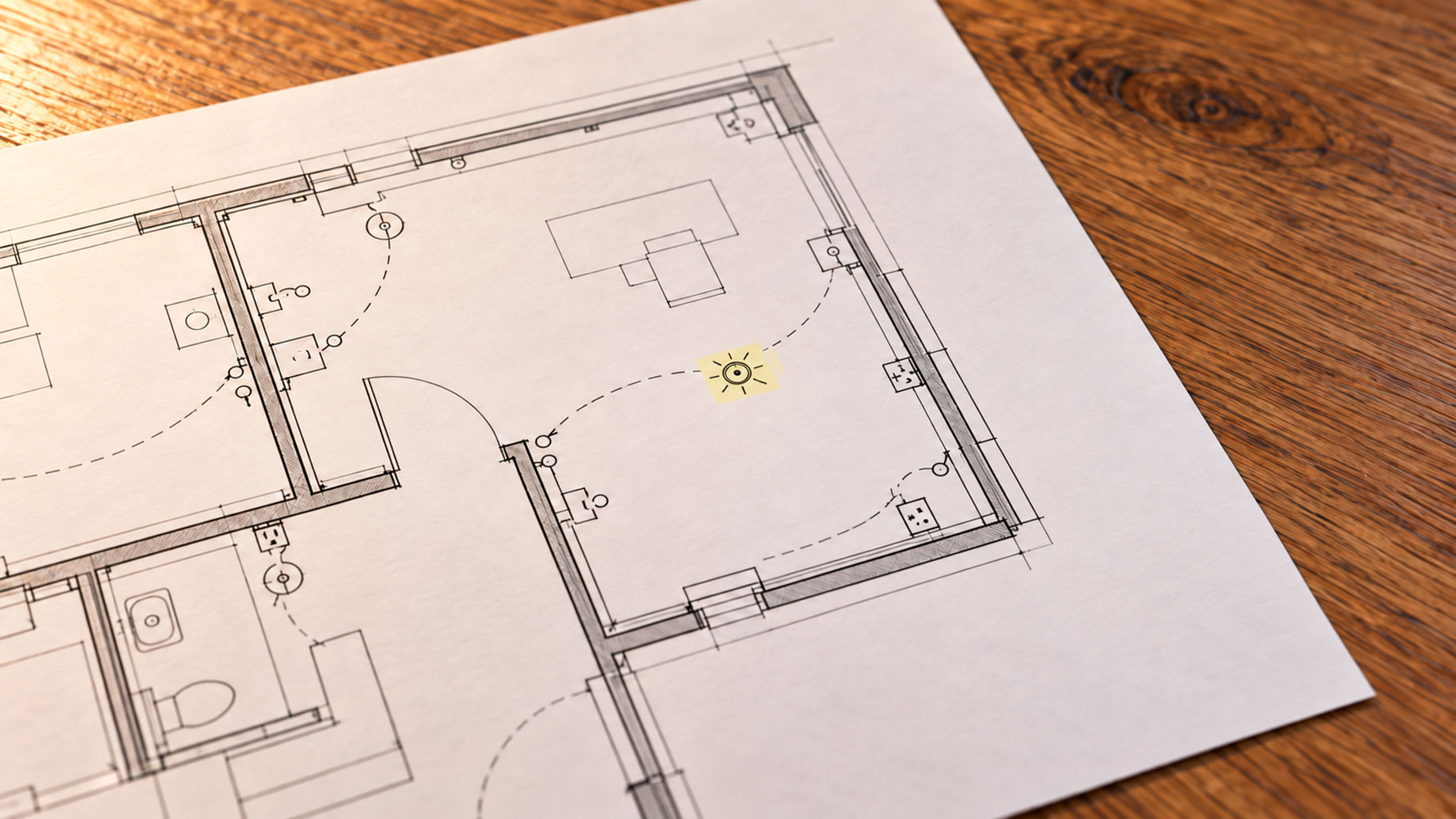
The quality of any electrical estimate is determined before a single device gets counted. It’s determined in the hour — or two hours, or three — that an estimator spends reviewing the complete drawing package before opening a spreadsheet or uploading files to a takeoff platform. The estimators who skip this step, or compress it under deadline pressure, systematically produce bids with scope gaps that surface as field problems, change order disputes, or margin losses. The right software for electrical project estimation can accelerate the counting that follows — Drawer AI automates device detection, panel schedule extraction, and branch routing directly from PDF drawings — but no software substitutes for an estimator who understands the documents they’re working from.
What Electrical Plans Can Include
One reason drawing review gets underestimated is that estimators often think of electrical plans as a single document type: the floor plan showing device locations and circuit lines. In practice, an electrical drawing package for a commercial project contains several distinct document types, each serving a different purpose and carrying information the others don’t.
Electrical plans can include:
- Electrical floor plans – the primary working documents showing device symbols, circuit designations, panel assignments, and symbolic routing across each building level. These are where device counts happen, but they’re not where all scope is defined.
- Panel schedules – tabular documents listing every circuit in each panel, the load served, the breaker size, and the circuit number. Every device on the floor plan should tie to a circuit in the panel schedule. Discrepancies between the two are one of the most common sources of scope gaps in commercial bids.
- One-line diagram – a schematic showing the full electrical distribution hierarchy: service entrance, main switchgear, feeders to subpanels, and the distribution equipment at each level. Reading this before the floor plans gives the estimator the structural framework that makes panel schedules easier to interpret.
- Riser diagram – a vertical representation of electrical systems connecting across floors and between equipment rooms. Feeder runs that don’t appear on individual floor plans are often only visible here.
- Lighting fixture schedules – separate from the panel schedule, this tabular document lists fixture types, lamp types, mounting methods, and quantities. It’s the primary reference for identifying what’s actually being specified rather than just symbolically represented on the plan.
- General notes and specifications – installation requirements, approved materials, code compliance references, and project-specific exceptions that apply across the entire drawing set.
- Legend – the key to every symbol used on the floor plans. Every project uses a project-specific symbol set, and reading floor plans without reviewing the legend produces systematic misidentification.
Which Drawings Typically Show Light Fixture Details
The question of which drawings typically show light fixture details has a layered answer, because different documents in the set carry different kinds of fixture information.
The floor plan shows fixture locations — where each fixture type is positioned in the space — using symbols that correspond to the project’s legend. The symbol tells you the fixture type category; it doesn’t tell you the specific product, the lamp type, the mounting height, or the wattage.
That information lives in the lighting fixture schedule, which lists each fixture type used on the project, its catalog designation or specification reference, the lamp type and quantity, the mounting method, and the fixture count per type. The schedule is the document that connects the symbolic representation on the floor plan to the actual product being installed — and it’s the document that drives accurate lighting fixture counts for the takeoff.
In addition to floor plans and fixture schedules, elevation and section view drawings sometimes provide vertical detail about fixture mounting heights and conduit routing paths that aren’t visible in plan view. On projects with complex ceiling conditions — varying heights, exposed structure, specialty lighting elements — these elevation views carry information that can affect labor estimates significantly.
Where Conductors Are Typically Installed in a Commercial Building
Understanding where conductors are typically installed in a commercial building helps estimators anticipate routing complexity before the takeoff begins — because routing assumptions drive wire length calculations, and wire length drives material quantities for both conductors and conduit.
In most commercial construction, conductors follow a consistent spatial logic across building systems:
| Location | Typical Conductor Application | Routing Considerations |
|---|---|---|
| Above suspended ceiling | Branch circuit wiring, lighting circuits, low-voltage data | Shared space with HVAC ductwork and structural elements |
| Within conduit in concrete slab | Feeder runs, branch circuits serving floor-level devices | No post-pour access; requires accurate routing before pour |
| In wall cavities | Receptacle circuits, switch legs, low-voltage rough-in | Limited routing flexibility once walls are closed |
| In cable tray or ladder rack | Large feeder runs, data center environments | Higher capacity, easier future access |
| Exposed in mechanical and electrical rooms | Service entrance, panel feeders, equipment connections | Typically EMT or rigid conduit, highly visible |
| Underground or in conduit sleeves | Site feeders, building service entrance | Burial depth and conduit type governed by NEC Article 300 |
This spatial distribution is why electrical drawings should always be read alongside architectural, mechanical, and plumbing drawings before estimating begins. An electrical routing path shown on the electrical plan may conflict with HVAC ductwork, structural beams, or plumbing chases that occupy the same ceiling or wall space. Catching those conflicts during drawing review — rather than during installation — is one of the most direct ways an estimator adds value before a bid is submitted.
The Review Sequence That Prevents Scope Gaps
Based on the documents above, a reliable drawing review sequence for commercial electrical estimating works from general to specific:
- Project scope and building type – understanding the occupancy type, the number of floors, and the systems scope before opening any drawing sheet frames the review and prevents misinterpretation of what should be included.
- General notes and specifications – read before the drawings, not after. Installation method requirements, approved material substitutions, and code compliance references affect scope across every sheet.
- One-line diagram – establishes the distribution hierarchy before reading panel schedules.
- Panel schedules – establishes the expected circuit count per panel before counting devices on floor plans. Knowing how many circuits should exist per panel makes it easier to identify when something is missing on the floor plan.
- Lighting fixture schedule – review before counting lighting fixtures on floor plans, so each symbol can be matched to the correct product specification.
- Legend – review before any floor plan sheet, every time. Symbol conventions vary between engineers and between projects.
- Floor plans, sheet by sheet – with the context established by the documents above, the counting and routing work begins from an informed starting point.
- Riser diagram – reviewed last, reconciled against the distribution hierarchy established in the one-line and the panel counts from floor plan review.
This sequence produces a drawing review that’s both faster and more complete than jumping directly to device counting — because the estimator is working with the full context of the project rather than building it incrementally as gaps appear.
Where Automated Takeoff Fits After Drawing Review
The drawing review phase is fundamentally a judgment exercise — determining what the project requires, where scope boundaries lie, and what questions need to be resolved before a reliable bid can be assembled. No automation replaces that phase. What Drawer AI’s workflow does is compress the counting and routing phase that follows it. Once the estimator has reviewed the drawing set and understands what’s being built, the platform processes the PDF drawings — identifying devices using the project’s symbol legend, extracting panel schedule data, generating branch routing with wire sizing and voltage drop calculations — and produces a structured quantity report for review. According to published case studies, customers report reductions in takeoff time of up to 90% in some cases, with reductions of 70% or more documented across large commercial projects.
The combination works because drawing review and automated counting address different parts of the problem. Drawing review ensures the estimator understands the scope. Automated counting ensures the quantities reflect what’s on the drawings — consistently and completely — across every sheet in the set.