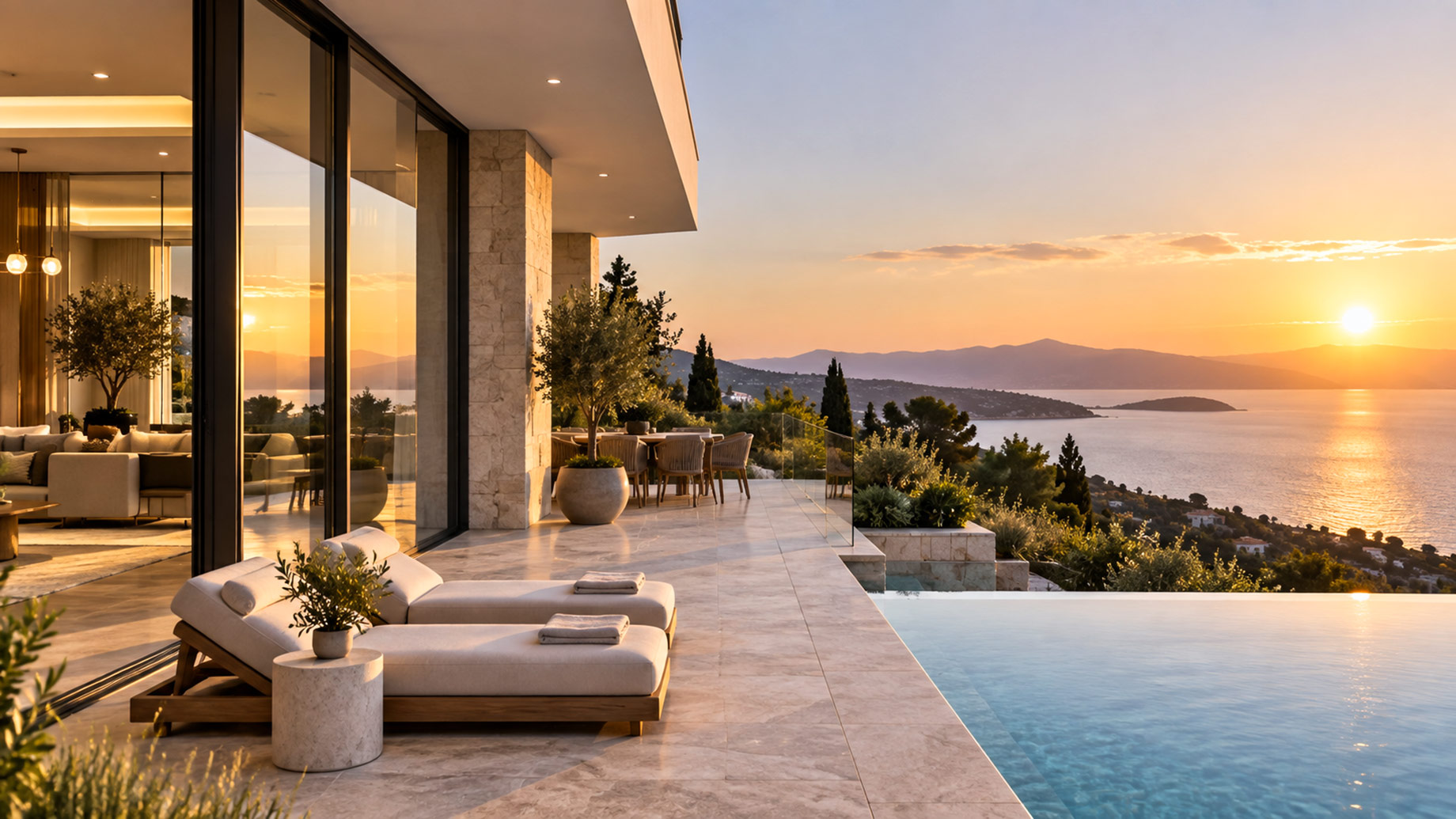
A wider campaign image can quietly become a different property. The original photograph shows a narrow window bay and a stone terrace ending at the garden wall. After an apparently simple expansion, the bay gains another panel, the terrace continues beyond the recorded edge, and the evening light suggests a view the camera never captured. The result is beautiful because the alteration is hard to notice.
Luxury presentation needs a stricter boundary than ordinary mood imagery. Nano Banana AI can support reference-led composition and localized edits through Kimg AI, but permanent architecture must remain evidence, not creative material. Furniture, flowers, sky treatment, and campaign crop may be flexible when clearly presented. Window counts, room dimensions, structural openings, fixed finishes, and views are claims about the property.
Polish Becomes Misrepresentation When Architecture Moves
Real estate imagery has always involved choices about light, lens, color, and staging. The line is crossed when an edit changes what a buyer would reasonably believe exists. Removing a temporary cable differs from widening a doorway. Correcting a color cast differs from replacing marble veining. Adding a labeled furnishing concept differs from publishing it as the photographed room.
Generative edits make the boundary harder to see because new pixels can match the photograph’s lighting and texture. A crude composite invites skepticism. A coherent extension may pass as documentation. That is why visual realism cannot serve as the approval test.
Start with the buyer’s likely inference. If the output would make a reasonable viewer expect a larger opening, a different finish, a broader view, or an included feature, the image carries a property claim. That claim needs source evidence or a clear concept label.
Freeze Permanent Traits Before Making Any Edit
Create a permanent-trait record from the original photographs, floor plan, and listing details. Keep it short enough to compare during production. For an exterior, record roofline, window and door counts, terrace edges, pool geometry, fixed landscape walls, neighboring context, and the verified view. For an interior, record openings, built-ins, material transitions, ceiling lines, and fixed lighting positions.
| Trait class | Examples | Default authority | Reject when |
|---|---|---|---|
| Permanent structure | Walls, openings, roofline, stairs | Source photograph and plans | Count, shape, or position changes |
| Fixed finish | Stone, timber, tile, metal | Neutral source and specification | Material identity is rewritten |
| Movable staging | Furniture, flowers, textiles | Approved concept brief | It is presented as included inventory |
| Atmosphere | Sky, time of day, color grade | Campaign art direction | It invents a view or physical condition |
Mark one source image as the geometry control. Do not use a wide-angle frame with obvious lens stretch when a straighter view is available. The control does not need to be the most attractive photograph; it needs to make edges and counts easy to inspect.
Label Existing Rooms and Proposed Design Layers
A proposed renovation, virtual staging concept, or imagined landscape can be valuable, especially before construction. Give it a visible status in the asset record and in the publication context. “Concept furnishing” or “proposed scheme” should appear where the audience encounters the image, not only in an internal filename.
Keep current-condition photography in the same campaign set. The concept can inspire; the source lets a buyer understand what exists. Removing that comparison turns a design aid into an implied factual representation.
Edit Reversible Layers Before Touching the Building
Begin with elements that can change without altering the property: loose furniture, table settings, removable art, flowers, or a campaign crop that stays inside the photographed scene. Give the edit one job. If the task is to test a warmer textile palette, preserve architecture, camera position, window light, and every fixed finish.
Kimg AI supports image-guided creation and model routes intended for localized editing. Use that control narrowly. A prompt should name both the flexible layer and the frozen boundary: replace the two loose cushions, keep sofa form, floor material, wall color, window geometry, and exterior view unchanged. More instructions are not always better; they are useful only when a reviewer can inspect them.
Outpaint Only Where the Source Gives Evidence
Expanding a frame can help a photograph fit a wide banner or vertical campaign slot. It is safer when the new area contains non-claiming atmosphere such as additional sky, neutral wall, or floor continuation supported by adjacent frames. It becomes risky when the model must invent what lies beyond a property edge.
Use overlapping source photographs when available. If no source shows the missing area, crop differently or treat the extension as a labeled promotional composition. Do not allow plausible landscaping, neighboring structures, or distant views to fill an evidence gap.
Compare Every Output With the Geometry Control
Review at two scales. At full frame, check overall perspective, openings, view direction, and the relationship between building and landscape. At close scale, inspect seams, material boundaries, reflections, repeated fixtures, and edge counts. A strong edit should survive both without requiring the reviewer to remember the original.
Overlay the result and control when geometry matters. Lower the opacity or alternate quickly between files. Shifts in a window mullion, roof edge, stair width, or pool corner become visible immediately. Record each mismatch as either a repairable local error or a disqualifying change to a permanent trait.
When a localized repair is attempted with Kimg AI, rerun the whole permanent-trait check afterward. Generated edits can solve one seam while altering another region. The accepted output is the file that passes the complete boundary, not the version with the latest correction.
Archive Source Prompt Output and Disclosure Together
Keep the original photograph, any additional reference frames, the edit instruction, final output, review note, and publication disclosure in one asset record. Name the exact export approved for use. If the campaign later changes crop or copy, the next editor should not have to guess which pixels were documentary and which were generated.
This record also protects creative freedom. Once the permanent boundary is explicit, designers can explore reversible staging and atmosphere without reopening the same factual debate during every review.
Know When Generated Property Art Is the Wrong Asset
Generated imagery cannot replace current-condition evidence for a listing, inspection, valuation, or buyer due diligence. It may support a clearly labeled concept, editorial mood, or campaign format adaptation. When the audience needs to know what physically exists, use verified photography and add ordinary layout elements outside the image.
Publish the Boundary Beside the Finished Image
Use concept language that a reader can understand without opening a disclosure page. A generated furnishing study, proposed renovation, or expanded promotional crop should say what changed. Avoid labels so vague that they reveal nothing. Clear wording lets imagination work without borrowing the authority of photography.
Kimg AI can help a luxury team adapt strong source material across editorial, social, and campaign placements. The best use is bounded: protect architecture, vary reversible layers, and preserve the record needed to explain every output. That discipline respects both the property and the buyer.
Reject the beautiful frame when it changes a permanent trait. Choose a different crop, collect another photograph, or publish the idea as a labeled concept. Luxury marketing depends on desire, but durable trust begins with a simpler promise: the architecture shown as real should still be there when someone walks through the door.