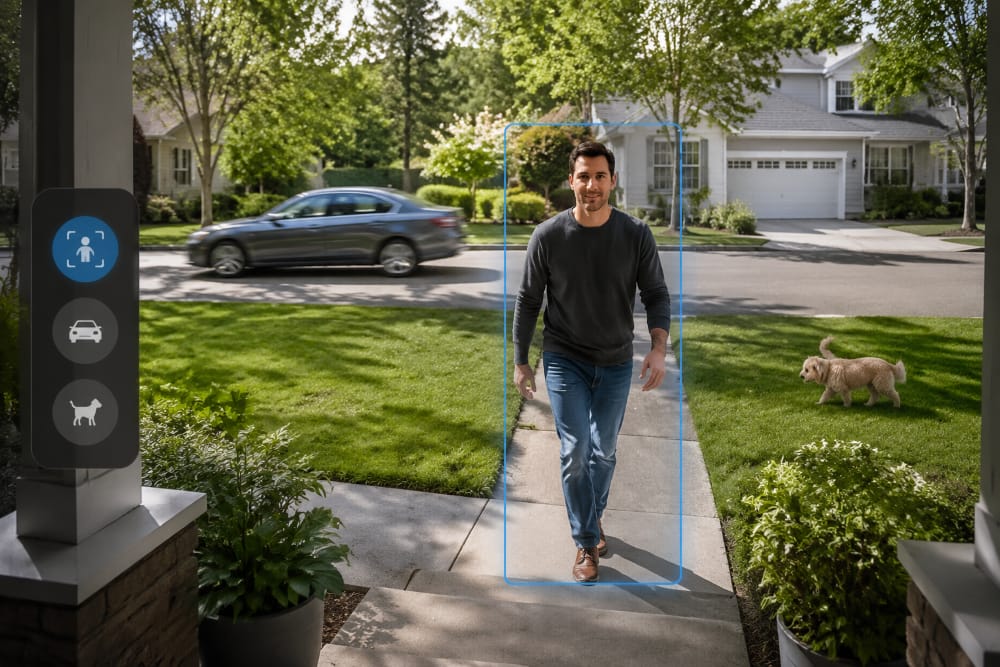
Your phone buzzes while you are cooking, working, or finally sitting down. You open the camera expecting a visitor and find another branch, passing car, or pet. The goal is not to silence every alert. It is to let ordinary movement fade into the background while a real approach still earns your attention.
The next few minutes will help you tell whether the noise comes from the camera’s view, its detection settings, or a notification rule that no longer fits your routine. Once you know which problem you have, you can fix the noisiest camera without making every alert less reliable.
Your 30 Second Fix
Start with the camera that sends the most noise.
Activity 1 Tighten the activity zone around the door, gate, or path you care about.
Activity 2 Set sensitivity near the middle, then move it up or down one step after a walking test.
Activity 3 Choose person or vehicle alerts only when that event would make you check the phone.
Activity 4 Match notifications to the camera’s location and the times when activity matters.
Walk through the zone once in daylight and once after dark. Keep the settings if both tests trigger useful alerts and the repeated background movement no longer does.
First Decide What Kind of Alert You Are Seeing
Not every unwanted notification is a false alert. A camera that labels a tree shadow as a person has made a detection or classification error. A camera that moves in the wind has a physical setup problem. A camera that correctly labels every passing vehicle may be working as configured, but the notification rule does not match what you want to know.
| What you see | What it usually means | Start here |
| No clear subject or the wrong object label | Detection or classification issue | Check the scene, zone, sensitivity, and event filter |
| The image shifts, looks hazy, or catches glare | Placement or environment issue | Secure the mount, clean the lens, or change the angle |
| The label is correct but the alert is not useful | Notification rule issue | Change the event type, schedule, or mode |
This distinction saves time because each problem has a different fix. The independent Consumer Reports home security camera buying guide defines activity zones as designated areas where a camera can focus on or ignore motion. That makes a zone useful for unwanted movement at the edge of the view, but it will not repair a loose mount or make a correctly identified car less relevant to you.
How to Reduce Security Camera False Alerts in Four Steps
The order matters. A low sensitivity setting can quiet the phone while leaving a busy street or unwanted vehicle rule untouched. Start with where the camera watches, then refine how it reacts.
Step 1: Keep the Activity Zone on the Approach
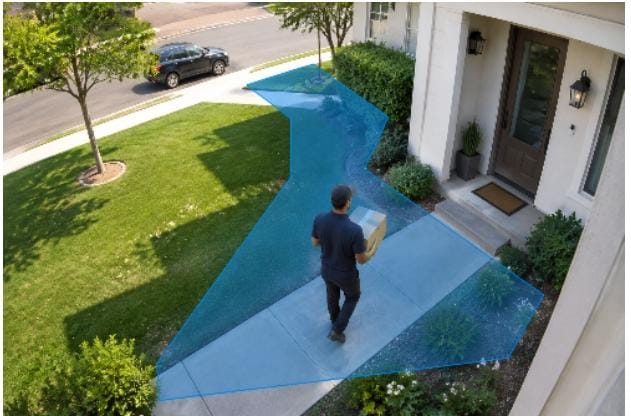
Picture the route a delivery driver takes from the edge of the frame to your door. That is the useful part of the image. The road beyond it, a neighbor’s driveway, and the tree canopy overhead may provide context, but they rarely make a phone alert more helpful.
Draw the activity zone around the approach and leave enough lead-in space to see someone before they reach the entrance. Walk the route at a normal pace. If the camera notices you only at the doormat, widen the zone slightly. If street traffic still fills the event list, trim the busy edge.
A successful zone is not the smallest possible box. It is the smallest area that still catches a normal arrival early enough to be useful. Because some cameras apply zones differently to recording and notifications, check both the saved clip and the phone alert rather than trusting the outline alone.
Step 2: Let the Walk Test Set Sensitivity
Once the camera watches the right place, sensitivity decides how much change is enough to create an event. Start near the middle. Walk through the approach once, then let the camera see a normal stretch of the day before touching the slider again.
If your walk produces no alert, raise sensitivity one step. If leaves or shadows inside the zone keep setting it off, lower it one step. The label shown in the app matters less than the result, because Medium can behave differently across models, distances, and lighting.
Do not ask sensitivity to repair the scene. Tighten a mount if the whole frame shakes, move a branch that fills one corner, and clean a lens that blooms under infrared light. Repeat the walk after dark or rain. Success means the same approach still appears while the repeated environmental trigger stops dominating the event list.
Step 3: Match the Filter to the Reason You Check
At a front door, the useful question is usually whether someone is approaching. Person detection can keep some background movement from reaching your phone. For private parking, vehicle detection may be useful, but only after the activity zone excludes public traffic.
Across the available security camera formats, filters still depend on the image they receive. Distance, darkness, a partly blocked path, or a visitor carrying a large box can affect classification. Walk in from each direction a real visitor might use, then repeat the test after dark with the usual outdoor lights on.
If a passing car is labeled correctly but you do not want the alert, the filter has not failed. You asked to hear about vehicles in a place where vehicles pass. Narrow the zone or turn off vehicle notifications for that camera. The setting is successful when it highlights the event that would make you look up from what you are doing.
Step 4: Decide When the Phone Should Interrupt You
The fourth backyard alert during a family barbecue tells you nothing new. The same person alert at a side gate after midnight may deserve an immediate look. Notification settings should reflect that difference.
For each camera, finish one sentence: “I want my phone to buzz when ___.” The front-door answer may be when a person enters the walkway. The backyard answer may be when a person appears overnight. If the blank is hard to fill, let that camera record quietly instead of notifying for every event, assuming the app separates recording and alerts.
Build a schedule around the answer and give the mode a name you will recognize later. Recheck it after a major app or firmware update. The Federal Trade Commission’s home security camera guidance also recommends keeping software current and protecting the camera account with strong security.
When Settings Are Enough and When an Upgrade May Help
Keep the camera you already own when one view is noisy but the app gives you usable zones, sensitivity, event filters, and schedules. A noisy view by itself does not show that the hardware is the problem. Tune that camera first and wait until the same light, weather, or household routine returns before deciding whether the change held.
If one entrance remains poorly covered, adding or replacing a single camera may be more sensible than buying a large kit. Count the approaches you truly need to watch. The right number of cameras is the number with clear jobs, not the largest package available.
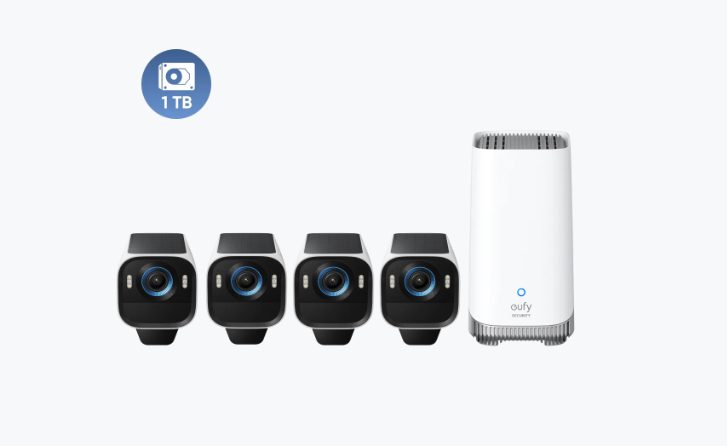
A shared system becomes worth considering when several entrances have different zones, event types, and schedules, and reviewing those rules has become harder than the alerts themselves. For a home that genuinely needs four outdoor views, the eufyCam S3 Pro 4-Cam Kit with HomeBase 3 and 1 TB is one option. Its product page lists customizable zones and radar plus PIR motion detection, which eufy positions as a way to reduce irrelevant events under suitable conditions.
That management problem is where HomeBase 3 becomes relevant. The product page says it supports group settings and brings motion-triggered footage into a unified event overview, so different camera rules can be easier to review from one system. These controls do not replace careful placement or testing, and recognition features can vary by compatible device and current software.
Conclusion
Start today with the noisiest camera, not a shopping cart. Open its five most recent unwanted clips, find the detail that repeats, and change only the setting connected to that pattern. When the same branch, passing car, or backyard routine stops interrupting you but a person walking toward the entrance still brings up a useful clip, the camera is doing the job you bought it for. If several cameras remain difficult to coordinate after that, then compare a shared system as an option rather than an automatic upgrade. When the remaining coverage gap is outside, the outdoor security camera collection can help you compare formats before deciding whether a new camera belongs there.