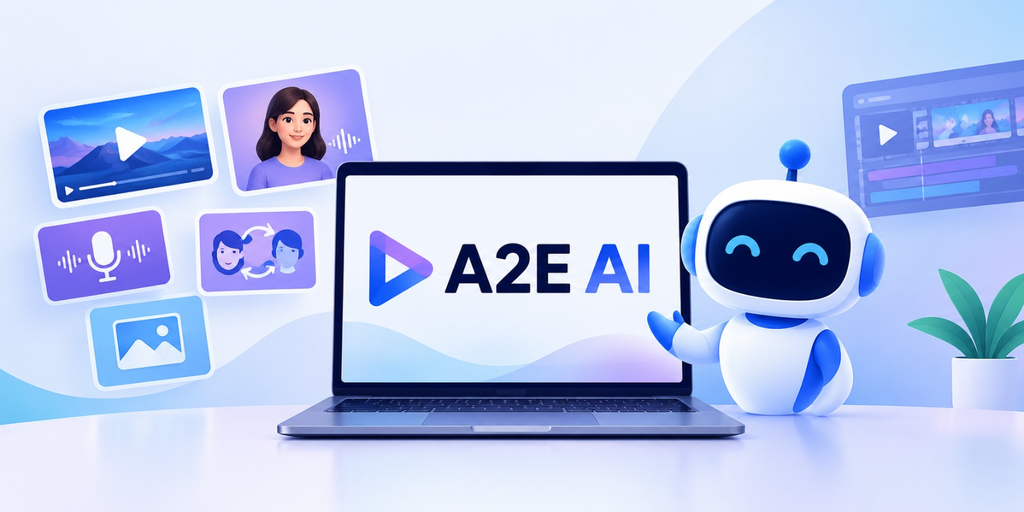
If you are making digital content, it’s often a task of switching between multiple tools. You may require one software for images, another for animation, and a third for voiceovers. That increases the steps for creators, particularly for frequent content creators.
A2E AI is a more holistic solution, integrating various creative tools into a single platform. Its capabilities include image-to-video creation, talk-to-photos, AI avatars, photo editing, and voice functions.
But what are the tools that are helpful for practitioners, and who should use them? Let’s have a closer look at this detailed blog by AIChief to find out.
What Is A2E AI?
A2E AI is an AI content creation platform designed to create and edit visual and audio content. It provides multiple tools for various aspects of digital production, rather than a specific task.
It has the following primary features:
- Generate videos from still images using AI.
- Make a digital face for video presentations.
- Create photo portraits that “talk.
- Alter images and try various styles.
- Use AI-powered speech and voice cloning.
This range is beneficial for creators who would like to experiment with various formats without having to switch between platforms frequently.
Key Features of A2E AI
In this section, some of the notable features of A2E are listed. Let’s explore:
- Turning Images Into Videos With A2E AI
A good image does not always need to stay static. Adding movement can make it more suitable for a social media post, promotional clip, or creative project.
A2E AI’s image-to-video functionality lets users start with an existing image and generate an animated video. The process generally involves uploading the image, describing the intended movement, and generating the result.
This can be useful for:
- Animating digital artwork or character illustrations.
- Creating short clips from product images.
- Adding movement to social media content.
- Testing video ideas without filming a new scene.
The results still need checking. Movement might not match the prompt exactly, and some images require several attempts to produce a usable clip.
- Creating Talking Photos and AI Avatars
It’s not always possible to record a presenter for each video. There are also talking photos and AI-generated avatars for creating content that looks like a presenter. A2E AI has a number of tools for animating portraits or even creating a virtual character that is able to speak. The features can be used for tutorials, promotional videos, and educational videos.
- Feature
- Main use
- Talking photos
- Bring a portrait to life and have it ‘talk’
- AI avatars
- Use the computer to create digital video presenters.
- Lip sync
- Correlate the mouth with speech sounds
Facial articulation and synchronisation may sometimes be less than optimal, so check the final video before you send it out. If you are using the image of or voice of a real person, ensure you have permission to use it.
- Editing Images and Changing Visual Details
Occasionally, the picture is almost correct. It is well composed, but there are some changes to be made.
A2E AI provides A2E-image tools for changing images and generating variations. It can perform face swapping and change clothes, which can be helpful in the initial stages of designing.
A creator might try out various character designs, for instance, or a marketer might go through alternative images that may be used for a marketing campaign.
AI editing isn’t always accurate. Faces, clothing or other changes can have an impact on other parts of an image. Review the entire result prior to implementing it in a published or commercial project.
- Creating and Cloning AI Voices
Another aspect of content production that requires time is voiceovers. For projects that require narration but can’t be recorded in a studio, AI voice tools can be a good choice.
A2E AI has voice-related capabilities such as voice cloning. Users can discover synthetic speech when presenting, watching videos, or listening to other digital material, depending on the tools that are available.
Some typical applications are:
- An introduction to narration in explainer videos.
- Seeing scripts prior to recording.
- Creating a voice-over for digital presentations.
- Consistency of voice throughout approved projects.
How Creators and Businesses Use A2E AI
Different users will benefit from different features. The platform’s usefulness depends on the content they need to produce.
| User type | Potential use |
| Social media creators | Animate images and produce short clips |
| Marketers | Develop promotional visuals and presenter-style videos |
| Educators | Create supplementary videos and presentations |
| Designers | Explore image variations and creative concepts |
| Small businesses | Test content ideas with fewer production steps |
It is best to begin with one particular task. For animated product photos, try your hand at image-to-video. When creating tutorials, check out the avatar and voice settings. It makes it simpler to understand if the platform is an excellent match for your workflow.
A2E AI Pricing and Free Credits
The first question you should ask when selecting an AI platform is how often you will use it and how many generations your projects will need.
Please refer to the official website of A2E AI to check the current plans, credits, and feature limits, as pricing details may vary.
Look for 3 things:
- Trial access: See if trial credits are available.
- Know the amount of generation to be used: usage limits.
- Check the tools available: Ensure that the tools required are available.
If there are any free credits, try out a couple of real projects before paying. This will help you to understand the quality of the output and the cost of the ongoing work.
Is A2E AI Worth Using?
If you’re looking for multiple types of AI content creation tools under a single roof, then A2E AI is something to consider. It has image, video, avatar, and voice tools that can be used in various projects.
But too much functionality doesn’t always mean uniformity. Some outputs will require further editing or a retry for another generation.
Consider testing A2E AI if you:
- Make pictures or mini videos on a regular basis.
- Desire to try out talking photos and digital presenters.
- Like to have various creative tools in a single platform.
Try those features and see if they are what you need before paying.
Frequently Asked Questions About A2E AI
What can you create with A2E AI?
A2E AI provides tools to generate video from images, talk to images, create AI avatars, edit images, and create voice-related content.
Can A2E AI convert images into videos?
Yes. It has an image-to-video feature that allows the creation of a movie from still images.
Is it possible to develop talking avatars with A2E AI?
Yes. It has features such as talking photos and AI avatars for presenter-style content.
Is A2E AI free?
As of its current offering, free access and credit limits are available. See the official website for the most up-to-date pricing information.