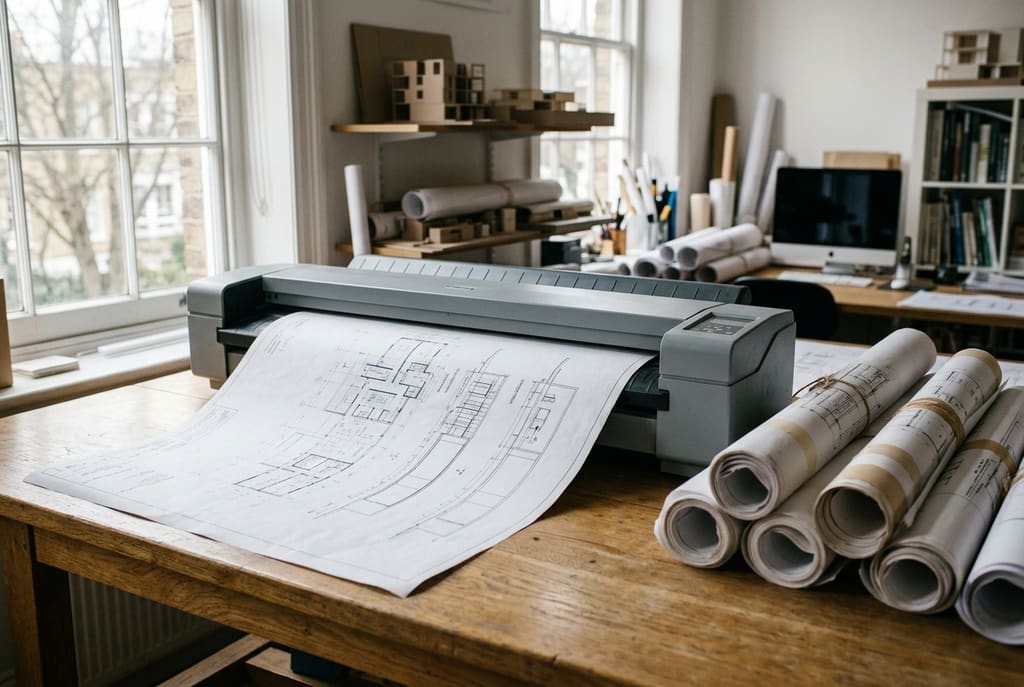
Most practices with a decade or more of history hold architectural drawings that exist in a single physical copy: A0 site plans, tracing paper elevations, dyeline prints annotated by hand on site. Large-format scanning turns those sheets into files that can be measured, shared and archived, but the outcome depends on capture settings and equipment. A scan that looks fine on screen can still fail the moment someone prints it at size or takes a dimension off it.
Key points
- FADGI sets four quality levels for oversize items such as maps and plans: 200, 250, 300 and 400 ppi, with TIFF or JPEG 2000 as the master format at every level.
- The National Archives (UK) uses a default of 300 PPI for ordinary documents and 600 PPI for photographic media.
- Untreated acidic paper becomes brittle and unusable in fifty to a hundred years, according to the Library of Congress.
- An uncompressed 24-bit A0 scan at 400 ppi runs to about 744 MB, so storage is part of the brief.
- OCR targets machine generated characters. Hand lettering is a separate technology and should not be assumed to work.
What paper does while it waits in the tube
Degradation is chemical, not cosmetic. The Library of Congress explains that acids, absorbed from air pollution or generated inside the sheet itself, repeatedly cut the cellulose chains into shorter lengths through acid hydrolysis, a reaction that produces more acid and feeds further degradation. Wood pulp paper made before the 1980s tends to be acidic from alum-rosin sizing, which generates sulfuric acid in the presence of moisture. That covers most surviving twentieth century construction archives.
The timescale is what surprises owners. The Library of Congress states that deacidified items stored properly are projected to remain usable for several centuries, rather than becoming brittle and unusable in only fifty to a hundred years. A 1975 drawing kept in a warm loft is already inside that window. Handling adds its own risk: FADGI notes that oversized objects may need two people, and that fragile items such as onion skin maps require special handling.
How large-format scanning actually works
FADGI describes three capture methods. One exposure of the whole sheet suits relatively small originals but is inadequate for larger ones. A linear scanning system builds the image one line at a time, limited by sensor and lens size. Tiling captures overlapping sections that software stitches together, which removes the resolution ceiling but costs geometric accuracy. FADGI endorses none of the three over the others.
Equipment matters as much as method. FADGI recommends planetary scanners, digital cameras and flatbed scanners for oversize items, and specifically does not recommend pass-through document scanners, which often introduce streak artifacts that fail compliance. It also rules out lighting that raises the surface temperature of the original by more than 4 degrees F, or 2 degrees C, during imaging. That is why contactless, cold-light systems dominate serious plan work.
Studios describe the service in their own market’s vocabulary. Studioscan, a French studio working on architectural and cadastral documents, offers contactless numerisation de plans for sheets up to 90 cm wide and 200 cm long, covering A0 and double A1 as well as tracing paper and rhodoid originals. Searching in the local language is often the fastest route to studios equipped for sheets that size.
Resolution: what each setting buys you
Resolution is a preservation decision and a budget decision at once. The table pairs the FADGI star levels for oversize items with file sizes calculated for one A0 sheet, 841 by 1189 mm, captured uncompressed in 24-bit colour.
| Resolution | FADGI level | A0 pixels | Uncompressed size | Typical use |
|---|---|---|---|---|
| 200 ppi | 1-star | 6,622 x 9,362 | 186 MB | Reference copies, no deep zoom |
| 250 ppi | 2-star | 8,278 x 11,703 | 291 MB | Working copies with fine annotation |
| 300 ppi | 3-star | 9,933 x 14,043 | 418 MB | Reproduction at original size |
| 400 ppi | 4-star | 13,244 x 18,724 | 744 MB | Archival master, fine hatching |
| 600 ppi | Above published levels | 19,866 x 28,087 | 1.67 GB | Enlargement beyond original size |
FADGI adds that capture above 400 ppi may suit some materials, citing very fine detailed engravings. In practice, a 2,000 sheet archive at 400 ppi in uncompressed colour approaches 1.5 TB before any access derivatives. Fixing the star level before the first sheet is scanned costs less than rescanning.
File formats and what each one preserves
| Format | Role | Limitation |
|---|---|---|
| TIFF | FADGI master format for oversize items at all four star levels | Largest files, needs managed storage |
| JPEG 2000 | Also a FADGI master format; The National Archives converts masters such as TIFF to JP2 | Tooling more complex than TIFF |
| PDF/A | ISO 19005 family, for long-term preservation of page-based documents | A container, not a capture format |
| JPEG | Lightweight circulation copies | Lossy, degrades at each re-save |
| DWG or DXF | Editable geometry for reuse in CAD | An interpretation, not a facsimile |
Keep the preservation master separate from the working file: an uncompressed master at the level you commissioned, then PDF or JPEG derivatives for circulation. The National Archives applies the same logic, allowing lossy compression only for surrogates where the paper original is kept as the primary record.
Where OCR and vectorisation stop working
FADGI defines OCR as converting pixels that represent machine generated characters into coded text, and treats handwriting and lettering as a separate problem: handprint character recognition, also called handwritten text recognition. A stencilled or hand-lettered annotation therefore sits outside what standard OCR is built for, whatever the scan quality.
Image quality still helps. FADGI states that three-star imaging generally produces files capable of high quality OCR conversion, while noting that testing is needed because software and source materials vary. On a typical drawing set, typeset title blocks and drawing numbers index reasonably well, while dimension strings rotated along a line and handwritten site notes need a person. Budget for manual indexing of title block fields rather than full-text search. Raster-to-vector conversion carries the same caveat, so keep the raster master as the evidential record.
What to check before outsourcing a scanning project
- Ask for a named quality target, such as a FADGI star level, not a promise of high resolution.
- Confirm resolution is quoted at the size of the original, as the archival guidelines express it.
- Ask which capture method is used, and whether stitching is involved, since it affects geometric accuracy.
- Check that handling is contactless for tracing paper and that lighting will not heat the sheet.
- Ask how colour is verified, for example against the ISO 19264-1 method for reflective originals.
- Agree deliverables in writing: master format, derivatives, file naming, and which title block fields are indexed.
Frequently asked questions
What resolution should an A0 architectural drawing be scanned at?
300 ppi at the size of the original is the common baseline, matching the FADGI 3-star level for oversize items and the National Archives default for ordinary documents. Move to 400 ppi where fine hatching, small stamped text or later enlargement matter. Expect around 418 MB at 300 ppi and 744 MB at 400 ppi for an uncompressed 24-bit A0 sheet.
Can a scanned plan be converted straight into CAD?
Not without review. Raster-to-vector software produces editable geometry, but the result interprets the scan rather than copying it, and linework, hatching and text all need manual checking. Treat the vector file as a design asset and keep the raster master as the record of what the sheet showed.
Is digitisation worth it if the drawings are stored in good conditions?
Storage slows degradation but does not stop it. The Library of Congress notes that acids form inside paper as it ages, in measurable quantities within weeks of manufacture, and that untreated acidic paper can become brittle within fifty to a hundred years. Scanning also removes handling risk, the most common cause of damage to sheets consulted regularly.
Sources
- Federal Agencies Digital Guidelines Initiative (FADGI), Technical Guidelines for Digitizing Cultural Heritage Materials, 3rd Edition, 2023, sections 3.6, 6.5 and 6.7 (digitizationguidelines.gov)
- The National Archives (UK), Digitisation at The National Archives, sections on Resolution and Compression (nationalarchives.gov.uk)
- Library of Congress, The Deterioration and Preservation of Paper: Some Essential Facts (loc.gov)
- ISO 19005-4:2020, Electronic document file format for long-term preservation, Part 4 (PDF/A-4)
- ISO 19264-1:2021, Photography, Archiving systems, Imaging systems quality analysis, Part 1: Reflective originals